
Datasheets and brochures
Cable datasheet: drawn from your data.
The cable datasheet is a PDF that the portal draws from the cable's data. When a value changes, the next request returns a new sheet.
Who it's forFor product management, engineering, and marketing at a cable manufacturer.
In short
- Image, cross-section drawing, and table on one sheet
- Updated after every change, no credits
- German and English
- Brochures for families and the whole lineup


- Rated voltage
- Temperature range
- Bend radius
- Jacket material
What is the datasheet from the portal?
What it is
The datasheet is a PDF that the portal draws from your cable's data.
You maintain the data once, on the cable. The portal supplies the page layout, header, and footer; you supply the logo and color. Nobody lays out a document by hand.
Four boxes: the cable's images, the cross-section drawing from the 3D model, the data with the sizes, and your brand. Together they produce the result, the datasheet as a PDF.
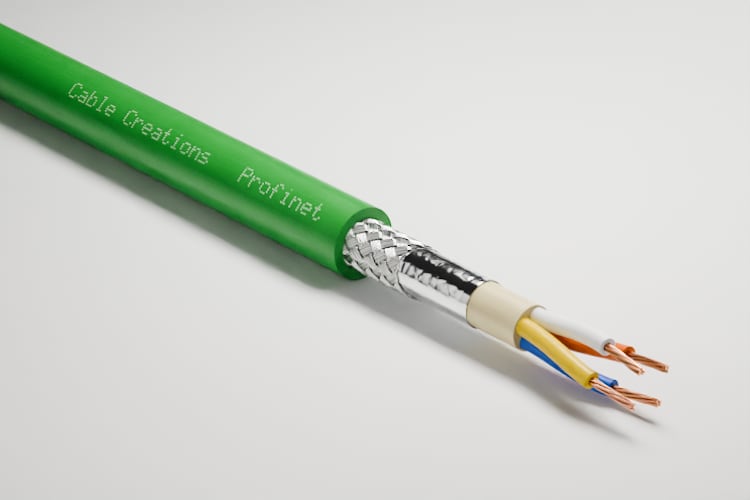
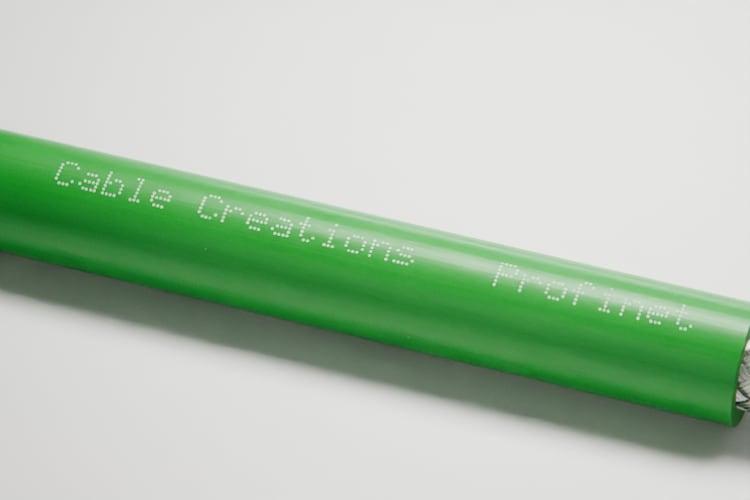
- Cross-section drawingFrom the 3D model
- DataValues and sizes
- BrandLogo, color, footer line

Your datasheet as a PDF
Key terms
- Datasheet
- A PDF for one cable type: image, technical data, cross-section drawing, and the table of all sizes.
- Size
- One orderable configuration of a cable type. The datasheet lists all sizes in one table.
- Cross-section drawing
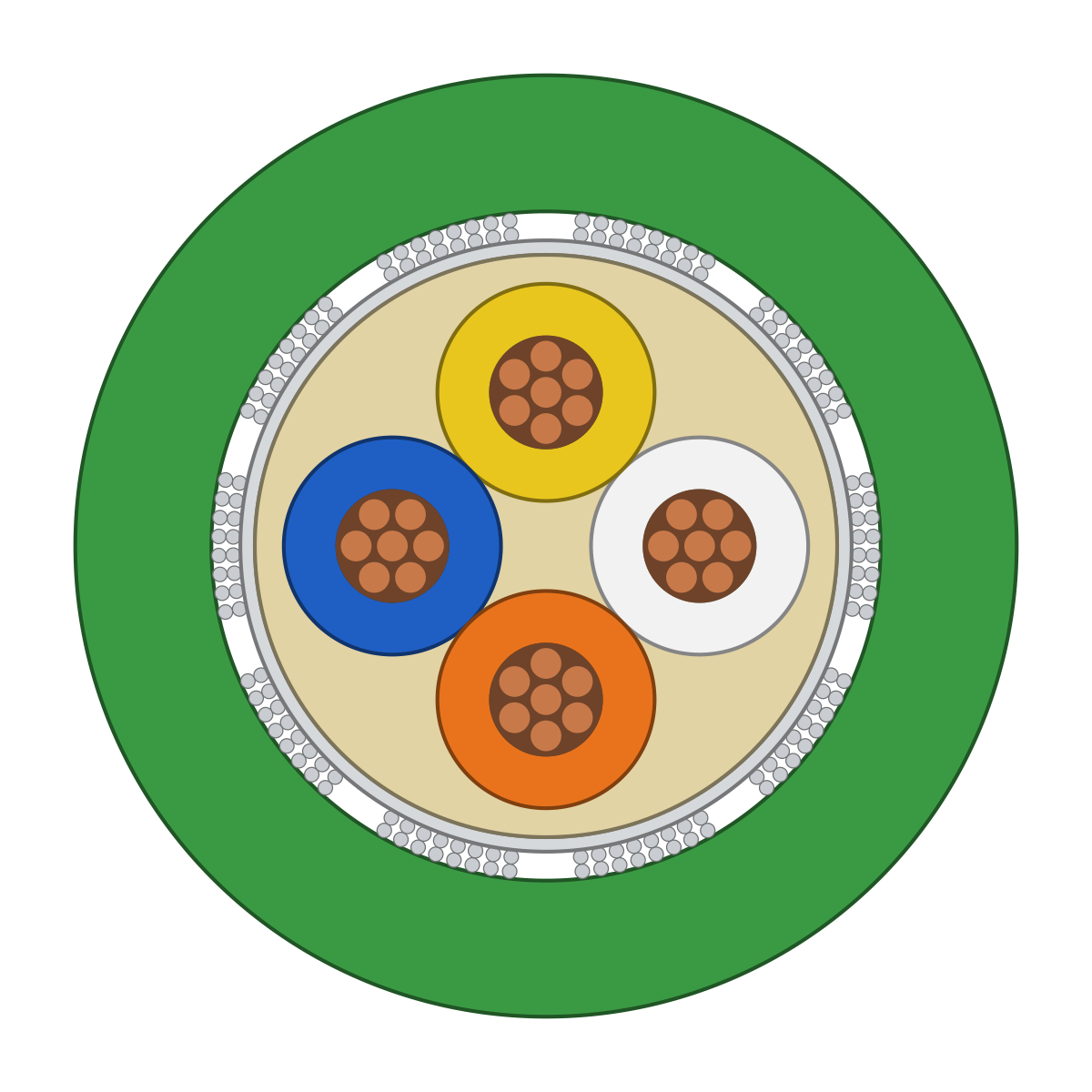
- The drawing of the cable cut open, with its legend. It is on the sheet as a vector graphic and stays sharp when enlarged.
- As-of date
- The date of the last change to the cable or its sizes. It appears in the footer of every page.
- Brochure
- A PDF with many cables: cover, table of contents, one page per family, and an index.
How is a datasheet created?
How it works
You maintain the data on the cable, and the portal draws the PDF from it on request.
You do the first two steps once. After that, every datasheet is created without any work from you.
The process in five stations on one line: you maintain the data and set your brand. The portal draws the PDF, your customer downloads it, and after a change the portal draws it again.
YouThe portalYour customer
YouMaintain the cable data
YouSet your brand once
The portalDraw the PDF
Your customerDownload the datasheet
The portalRedraw after a change
Step by step
- Step 1 of 5: You
Maintain the cable data
The designation, description, and technical data are stored on the cable type. You enter the sizes or import them as a CSV file.
- Step 2 of 5: You
Set your brand once
Your logo, brand color, website, and footer line apply to all documents.
- Step 3 of 5: The portal
Draw the PDF
On request, the portal places the image, data, cross-section drawing, and table on the sheet. If nothing has changed, it delivers the finished file again.
- Step 4 of 5: Your customer
Download the datasheet
Your customer downloads the PDF from the cable page of your catalog. Your team downloads it in the portal, and your shop gets it through the API.
- Step 5 of 5: The portal
Redraw after a change
When a value changes, the portal redraws the PDF on the next request. The previous file is replaced.
What a change triggers
You change a value in one place. The next datasheet shows it, in German and in English.
The datasheet is drawn from the data
- A cable's data is entered once in the portal.
- The datasheet is drawn from it: cross-section drawing, table, logo.
- When the data changes, the datasheet is redrawn, in German and English.
What is on the sheet?
What is on the datasheet
The sheet shows the image, technical data, cross-section drawing, and table of all sizes, in your branding.
A part with no content is left out rather than left blank. The table runs over as many pages as it needs.

- Rated voltage
- Temperature range
- Bend radius
- Jacket material
What the numbers show
Header
Your logo and the cable's designation. If the cable is published in the catalog, a QR code links to its page.
Images
The cable's main image with the description and, if available, a second image.
Technical data
The values you maintain on the cable, in the units of your measurement system.
Cross-section drawing and construction
The drawing with its legend and, beside it, the layer-by-layer construction and the standards.
Table of sizes
Each size with part number, outer diameter, weight, and your own columns.
Footer
Your details, the as-of date, and the page number.
Datasheet, brochure, or showcase as a PDF: which one do I use when?
The three PDFs compared
The datasheet describes one cable, the brochure covers your product lineup, and the showcase as a PDF presents a selection for one customer.
All three are created from the same data. A showcase is a selection of cables shared as a link with one customer, who can download it as a PDF.
Three cards below your cable data: the datasheet as a single sheet with drawing and table, the brochure as a booklet with a cover and many pages, and the showcase as a page with a contact card and a few cables.
Your cable data
Datasheet
Used forTechnical questions, quotes, RFPs
Brochure
Used forTrade shows, sales literature, lineup overview
Showcase as a PDF
Used forA leave-behind after a meeting
| Aspect | Datasheet | Brochure | Showcase as a PDF |
|---|---|---|---|
| Contents | One cable with all its sizes | All published cables, single families, or your selection | The cables in one showcase |
| Used for | Technical questions, quotes, RFPs | Trade shows, sales literature, lineup overview | A leave-behind after a meeting |
| Who creates it | No one: created on request | You, in the portal under Documents | Your customer, with one click in the showcase |
| Detail per cable | All data and all sizes | A half or full page, tables shortened | Images and key data |
| Cost | No credits | No credits | No credits |
What do I gain, and where are the limits?
Advantages and limits
The datasheet keeps itself up to date, but the portal sets its layout.
Advantages
The link shows today's version
The PDF is created from the data. Anyone who requests it gets today's version.
All sizes in one table
When a size is added, it appears in the table on the next request.
Two languages from the same data
German and English. Where a translation is missing, the text in your default language appears instead.
Your branding
Your logo, brand color, and footer line are on every page.
Costs no credits
Not after a change, and not per request.
The same sheet everywhere
The portal, the catalog, and the API draw the datasheet from the same data.
Limits
A fixed layout
The portal sets the order, grid, and font. You cannot use your own template or company font.
Not for offset printing
The PDFs are made for screens and office printers, with no bleed and no crop marks.
No archive of earlier versions
The portal keeps one file per cable and language. The previous one is replaced; the as-of date remains.
Two languages, no more
German and English. There is no third language.
Standards appear as text only
Standards and approvals appear as lines on the sheet. The portal does not manage certificates.
Only what is in the data
A value you do not maintain is not on the sheet. Without a 3D model, there is no cross-section drawing.
Public only for published cables
The catalog and the API deliver the datasheet only once the cable is published.
Not the right tool if:
- You need the datasheet in your own template or your company font.
- You must be able to produce every earlier version of a datasheet.
- The document is going to offset printing.
How is this different from datasheets made in Word or by an agency?
Compared with today
Until now, every datasheet has been a file that someone maintains; here it is a view of your data.
If you need a custom-designed sheet, stay with the agency. For a whole lineup, what matters is that no sheet goes out of date.
Three files of the same datasheet in different versions, each maintained by hand. By contrast, a single table of data in which one value is changed, and the datasheets it produces anew.
Until now
Word or Excel
A value changesFind the file, edit it, export it again
From the data
Datasheet from the portal
A value changesChange the value on the cable
| Aspect | Word or Excel | Layout by an agency | Datasheet from the portal |
|---|---|---|---|
| A value changes | Find the file, edit it, export it again | A job for the agency | Change the value on the cable |
| A new size | Add to the table by hand | Have the sheet laid out again | Appears on the next request |
| Second language | Maintain a second document | Have the sheet typeset a second time | The same sheet from the same data |
| Cross-section drawing | A pasted image, if one exists | Drawn by hand | From the 3D model, as a vector |
| Appearance | Depends on who edits it | Custom-designed | Consistent, in the fixed layout |
What do I need, and what does it cost?
What you need and what it costs
You need your cables and their data in the portal; the datasheet itself costs no credits.
What you need
Your cables in the portal
With designation, technical data, and sizes. Your existing datasheets serve as the source.
A 3D model for the cross-section drawing
The drawing comes from the cable's model. Without a model, the sheet leaves it out.
An approved image
The public datasheet shows only images you have approved.
Logo and brand color
Once set, they apply to all documents. Without a logo, your name appears in the header.
What it costs
Datasheets and brochures cost no credits, even after a change. You pay credits for the images on them. Your plan determines how many cables you publish and whether you use the API.
What else do people ask?
Frequently asked questions
Short answers to the questions people still have about the datasheet.
- Can we keep using our existing datasheets?
- As a source, yes. The cable's model and data are built from an existing datasheet, and the new datasheet is then drawn from that data.
- Can the layout be adapted to our brand guidelines?
- The logo, brand color, and footer are yours. The font is the same for all documents, and the PDFs are made for screens and office printers, not offset printing.
- What does a datasheet cost?
- Generating datasheets and brochures uses no credits, even after a change.
- Where does my customer get the datasheet?
- As a PDF on the cable page of your public catalog. The cable must be published, and the sheet shows only images you have approved.
- Which languages does the datasheet come in?
- German and English. Where a translation is missing, the text in your default language appears in its place.
- Can I get an earlier version of a datasheet?
- No. The portal keeps the current version, and every page shows its date. If you need to keep versions, save the PDF yourself.