
For LinkedIn
Social media content with your cables: posts and videos.
We make social media posts and short videos that star your real cable: no photo shoot, no samples, straight from the datasheet.
Who it's forFor marketing and sales at cable manufacturers who want to show more on LinkedIn than a stock image.
In short
- A picture, a document to swipe through, or a video with a voice-over
- Built from the construction of your cables
- A fixed price per post or video, ordered in the portal
- Concept and final, every delivery checked by us
Your cable has no picture yet? We build it from the datasheet.

What is cable content?
What it is
Cable content means posts and short videos for LinkedIn, built from your cables' data instead of a photo shoot.
Many manufacturers have hundreds of cable types but no picture that sells. The shop says “image coming soon”, one photo stands in for dozens of types, and the competitor shows the same stock image.
A shoot needs samples, a studio and weeks. We need neither: every picture is built from the construction your datasheet describes.
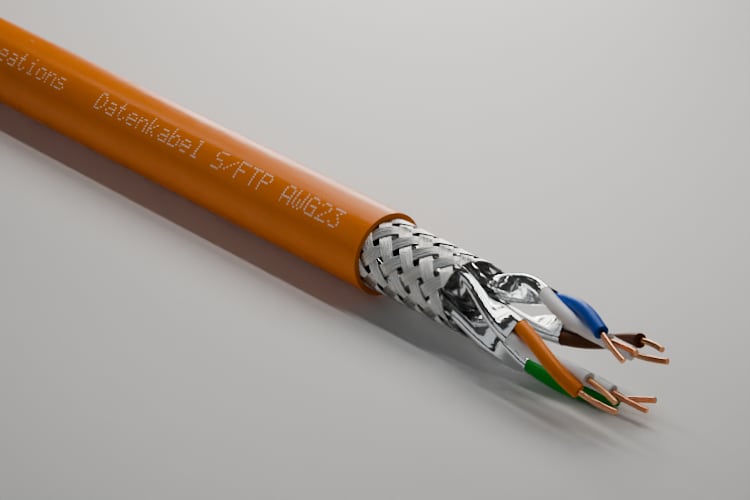
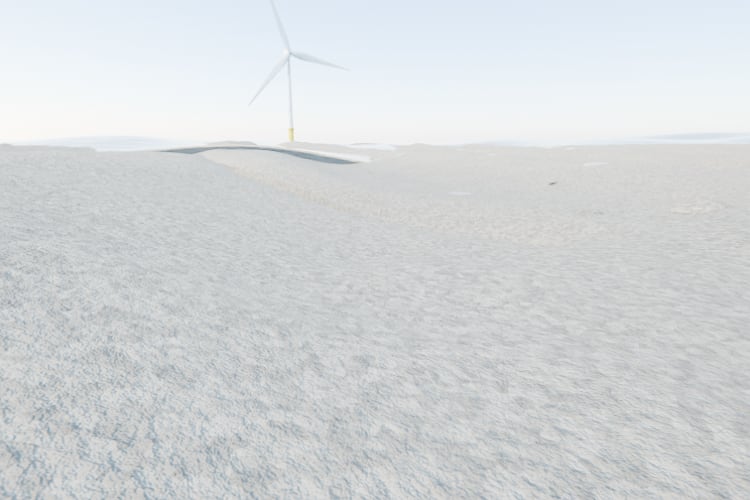
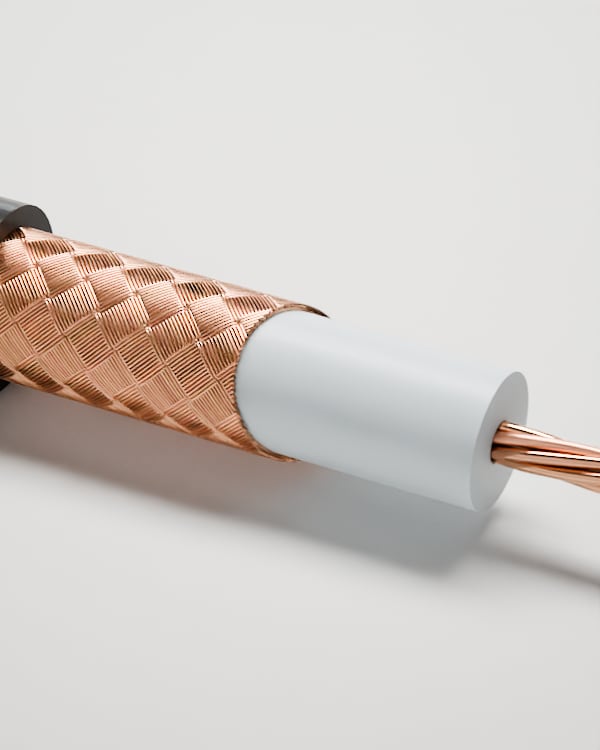
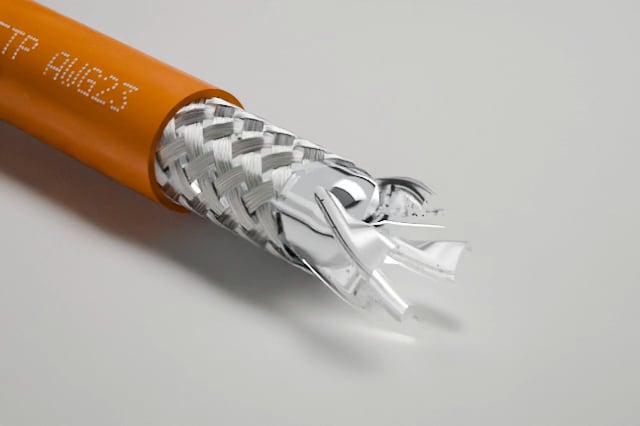
Four formats with renderings of real cables: a portrait picture, a square picture, a document of several pages, and a portrait video with a subtitle.


Key terms
- Social media post
- A picture in 4:5 or 1:1, or a document to swipe through, with the post's text and an alt text.
- Social media video
- A video of half a minute to three quarters of a minute in 4:5, with 3D scenes, a voice-over, music, sound and subtitles.
- Brief
- What you tell us in the portal: format, channel, language, publication date, cables, message and call to action.
- Concept and final
- The two stages of every order: first the idea with its text or script, then the finished picture or video.
- Round of changes
- Your notes on a delivery, sent all at once. Every stage includes 2 of them.
More on this How construction data becomes an image →
How is a post or a video made?
How it works
You write the brief and order at a fixed price; we deliver the concept first, then the final, and you accept each stage.
Every step is on your order's page in the portal. At the top you always see whose turn it is.
The process as six stations on one line: you order with the brief, we deliver the concept, you add notes or accept, we build the scenes, we deliver the final, you accept and post.
YouWe
YouFill in the brief, order
WeDeliver the concept
YouAdd notes or accept
WeBuild the scenes
WeDeliver the final
YouAccept and post
Step by step
- Step 1 of 6: You
Fill in the brief, order
You choose a post or a video, the cables and the message. Sending it agrees the fixed price.
- Step 2 of 6: We
Deliver the concept
For a post, the idea, the motif and the text. For a video, the script with the voice-over, the shots and the music.
- Step 3 of 6: You
Add notes or accept
You write your points or accept the concept. Without an answer, a stage counts as accepted after 7 working days.
- Step 4 of 6: We
Build the scenes
We build the pictures from your cables' 3D model, such as macros, an exploded view of the layers, raw materials drawn into the cable.
- Step 5 of 6: We
Deliver the final
The picture or video comes with the finished post text. A person on our side checks every delivery before you see it.
- Step 6 of 6: You
Accept and post
You accept the final, download the files and publish the post yourself.
What you have afterward
Every delivery stays in the order with your notes. You find the files there whenever you need them.
What do I get in the end?
A delivery from top to bottom
A video's final brings the video, a cover frame, the subtitles and the text for your post, all on your order's page.
The example is a video at the final stage. A post looks the same, only with pictures as PNG or a PDF.
Video: layer by layer.
Your turn- Concept
- Final
- film.mp4
- poster.jpg
- subtitles.srt 3
The post's text
No shoot. No sample. Still your cable, down to the strands.
Alt text The layers of a data cable fly apart.
4What the numbers show
The video in portrait
In 4:5 as an MP4 with sound. Scenes, voice-over, music and sound are already mixed in.
Subtitles word by word
The subtitles are in the picture and also come as an SRT file. The video makes sense without sound too.
The files
The video, a cover frame for the preview in the feed, and the subtitles. You download everything in the order.
The post's text
The first line is the hook; the call to action and the hashtags close it. Plus an alt text for everyone who cannot see the picture.
Accept or add notes
One click accepts the final. Or you write your points for the next round.
A picture, a document or a video: which one when?
The formats compared
A picture carries one clear point, a document explains step by step, and a video tells a story with motion, voice and music.
| Feature | Picture | Document | Video |
|---|---|---|---|
| Format | Portrait 4:5 or square 1:1 | Several pages in portrait 4:5 | Portrait 4:5, half a minute to three quarters of a minute |
| Delivered | The picture as PNG | A PDF and every page as PNG | MP4, cover frame and subtitles as SRT |
| Sound | No sound | No sound | A voice-over, music from a licensed library, and sound effects |
| Good for | A new product, a detail, one clear point | Explaining a construction, layer by layer | Attention in the feed and a short story |
What is it good for, and where does it end?
Advantages and limits
You get pictures and videos only your real cable can show, but no automatic posting yet and nobody running your channels.
Advantages
No shoot, no samples
Everything is built from the construction in the portal. Nobody ships, cuts open or lights a cable.
Your cable as it is built
Conductor, shield and jacket match the datasheet. No stock image the competitor shows too.
Pictures no photo can take
A macro down to the strands, the layers in an exploded view, raw materials drawn into the cable.
Ready to post
The post's text, the hashtags and the alt text come with it. You copy and publish.
A fixed price, no timesheet
You see the price before you send the brief. More comes only as a further round of changes at a fixed price.
A person checks every delivery
Nothing reaches you before we have looked at it and released it.
Limits
LinkedIn only
As the channel you choose a LinkedIn company page or a profile. Other networks are not in the brief.
You post it yourself
We deliver files and text. Publishing and a content calendar are planned but not built yet.
German or English
Texts, subtitles and the voice-over come in these two languages, one of them per order.
Videos in portrait only
A video comes in 4:5. There is no square or landscape version.
A voice-over needs its license
The voice comes from a speech service. Videos with a voice-over reach customers only once a commercially licensed plan is booked for it.
Only cables from your portal
The picture shows cables set up in your portal, up to 9 per order.
Not the right tool if:
- You need the post today.
- You want to show people, your plant or an event.
- You are looking for someone to run your channels and post for you.
How is this different from a photo shoot or a stock image?
Compared with today
Today the picture is missing, or it comes from a costly shoot or an image library; here it comes from your cable's data.
Before, a post with an empty placeholder “image coming soon” and a stock image of some cable. After, the same post with the cross-section and the layers of the real cable.
Until now
Photo shoot
What you seeYour cable, as it lay in the studio
From the data
Cable content
What you seeYour cable, layer by layer as in the datasheet
| Feature | Photo shoot | Stock image | Cable content |
|---|---|---|---|
| What you see | Your cable, as it lay in the studio | Some cable, at the competitor's too | Your cable, layer by layer as in the datasheet |
| What it takes | Samples, a studio, a photographer and weeks | A license and a long search | Your cable's data in the portal |
| Inside the cable | Only with a sample cut open | Not your construction | Macro, cross-section and exploded view |
| The next cable type | Another shoot | The same picture again | A new order with another cable |
| A video | A shoot of its own | Rarely a fit | Scenes from the 3D model, with a voice-over and music |
What do I need, and what does it cost?
What you need and what it costs
You need your cables in the portal and a message; every post and every video has a fixed price.
The two fixed prices: one for a social media post, one for a social media video, and below them the price of a further round of changes.
Fixed prices
- Social media post
- €190 per order
- Social media video
- €990 per order
- Further round of changes
- €90
Net, plus VAT. Billed per accepted stage.
With an account, you order in the portal under “Services”. Sign in and order →
What you need
Your cables in the portal
In the brief you choose up to 9 cables. If one is missing, we model it from your datasheet first.
A message
What the post should say and what it asks the reader to do. We write the rest.
A date
When the post should go out. Allow for two stages and your acceptances.
An account with the permission
A member of your team with the permission to order services places the order. Guests do not see the services.
What it costs
A post and a video each have a fixed price, the same for every order; you see it before you send the brief. Further rounds of changes cost a fixed amount. Each accepted stage is billed on the monthly invoice.
What else do people ask?
Frequently asked questions
Short answers to what is usually asked before the first post.
- Do you need samples or photos from us?
- No. We build the picture from your cables' data in the portal. If a cable is missing, we model it from your datasheet first.
- Do you publish the post too?
- Not yet. You get the picture or video with the finished text and post it yourself. Automatic publishing is planned but not built.
- Which languages are the texts in?
- German or English, as you choose in the brief. For both languages, you order two posts.
- Can I get the video in a square format?
- No, a video comes in portrait format for the feed. A picture post comes in portrait or square.
- What exactly is delivered?
- For a post, the pictures as PNG or the document as a PDF; for a video, an MP4 with a cover frame and subtitles. Plus the post's text and an alt text.