
Every cable. Exactly as built.
We rebuild your cable in 3D, true to scale, from its construction data. From that model come product images, videos, datasheets and your catalog. Not photographed, and not made up by an AI.
What you get
- Images and videos your team orders itself
- Datasheet, cross-section drawing and CAD from the same data
- Catalog, QR codes and labels for sales
- A sign-in for every person, with no fee per seat

From the outside, every cable looks the same.
What makes your cable is under the jacket.
Number of conductors, stranding, shield: that is where your cable differs from every other. A photo shows none of it, because it only sees the jacket.
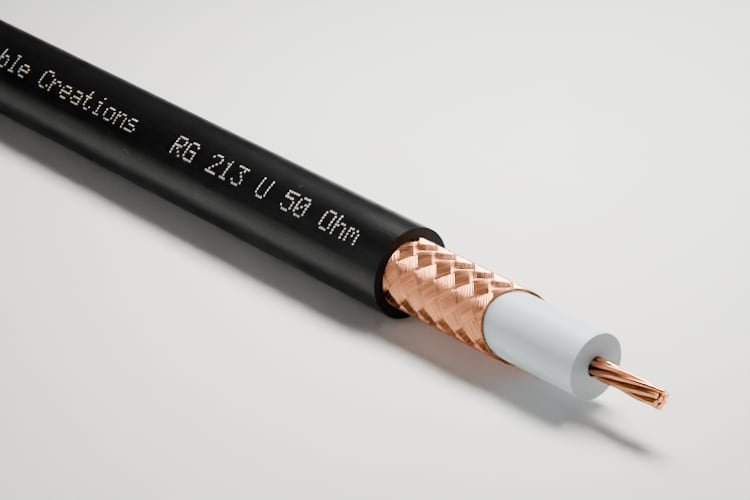
- RG 213Ø 10.3 mm
1 conductor, dielectric, copper braid
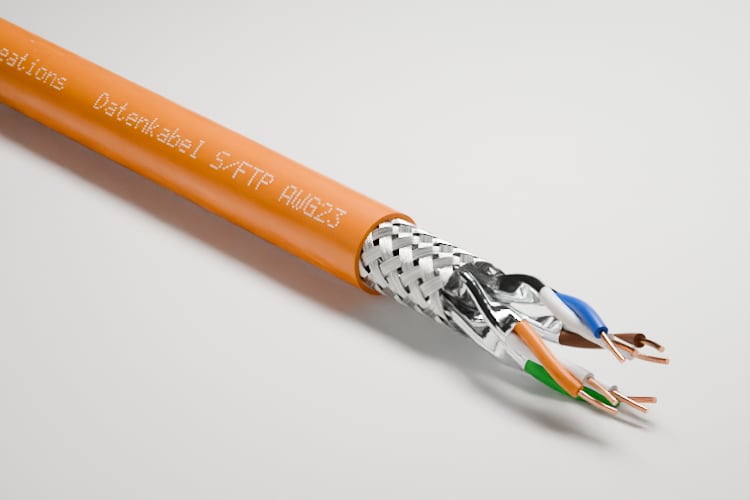
- S/FTP AWG 23Ø 8.5 mm
4 pairs, foil per pair, braid
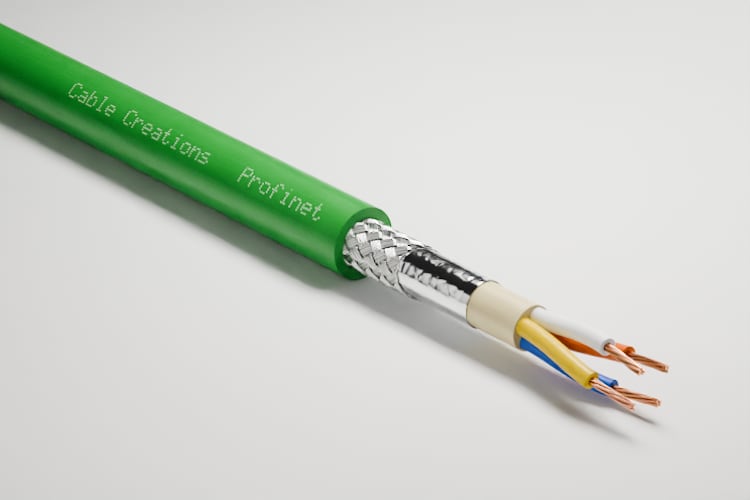
- PROFINETØ 6.5 mm
4 conductors, foil, braid
Tap a jacket: open and closed
For you
Your customers see what they are buying before they hold a sample.

This is not a photo. And not an image an AI made up.
So we rebuild it, from your data.
Layer by layer. True to scale, in 3D.
You send a datasheet or a description of the construction. From it we build a 3D model in which the number of conductors, the stranding, the shield and the print are those of your cable.
Data
Data cable S/FTP AWG23
- Conductor
- Copper, solid, Ø 0.57 mm
- Insulation
- Ø 1.4 mm
- Pair
- 2 conductors, lay length 24 mm
- Pair shield
- Aluminum foil, Ø 2.9 mm
- Stranding
- 4 pairs, Ø 7.0 mm
- Overall shield
- Braid, tinned copper
- Jacket
- PVC, Ø 8.5 mm
- Cable Creations S/FTP AWG23
Model
Image

For you
Built, not generated: what the image shows is in your data.
One model becomes every image.
One model. Every look, every setting.
Catalog image, cutout or photo look, from the side, in perspective or in detail, on lawn, snow, wood, concrete, soil or seabed. You also choose the pose and the cut, as far as the cable allows them. The price is fixed before you order.


For you
A lineup that looks like one piece, in the same view and the same light.
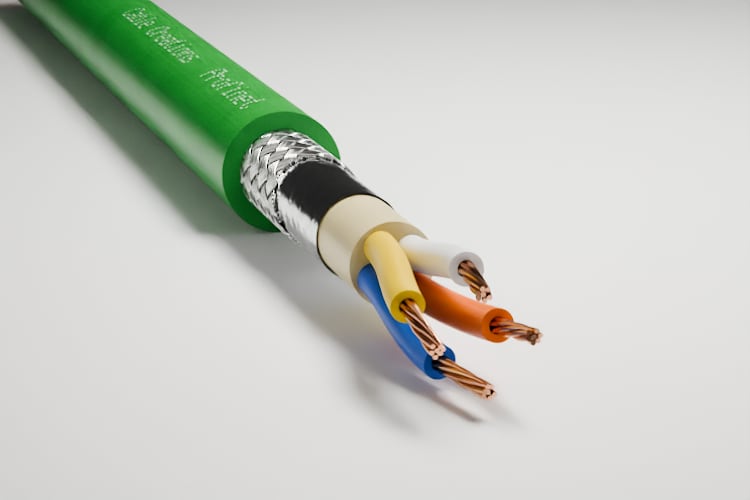
Cable endPROFINET: four conductors, foil, braid. 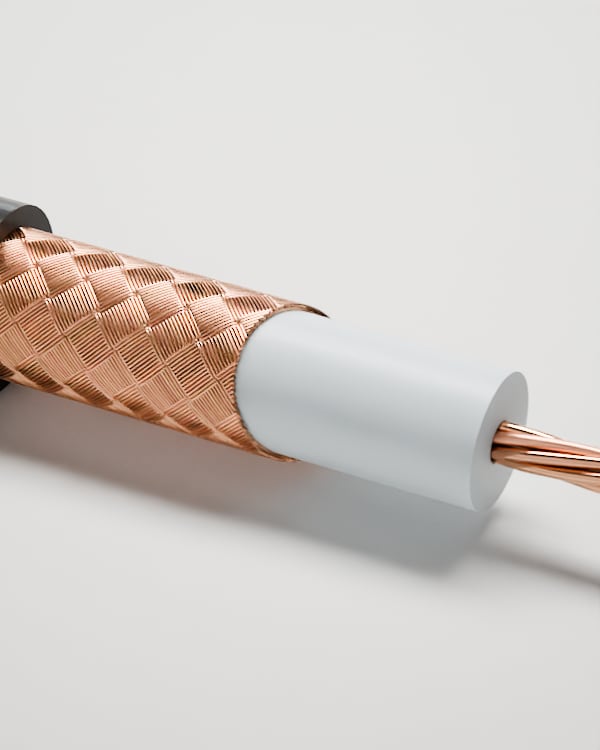
DetailRG 213: the copper braid over the dielectric. 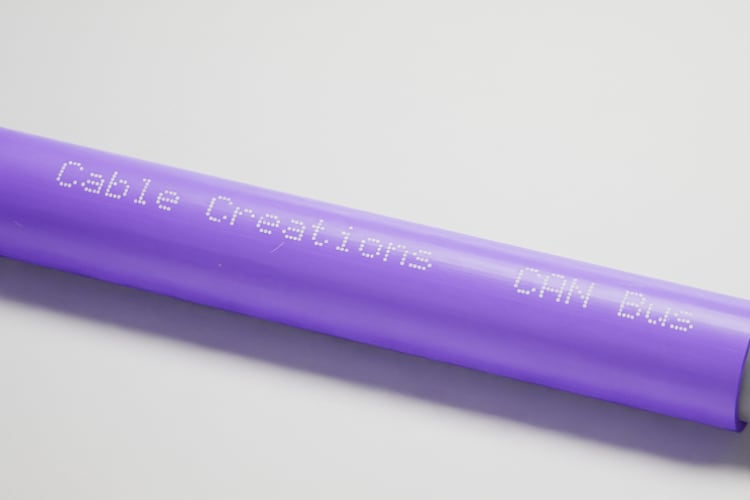
PrintCAN bus: every dot of the print is rendered.


And it moves.
A cable that explains itself.
Your team orders turns, camera moves, changes of light and exploded views in the portal, in HD or Full HD. Materialization, shielding and macro moves are made in our studio, from the same model.
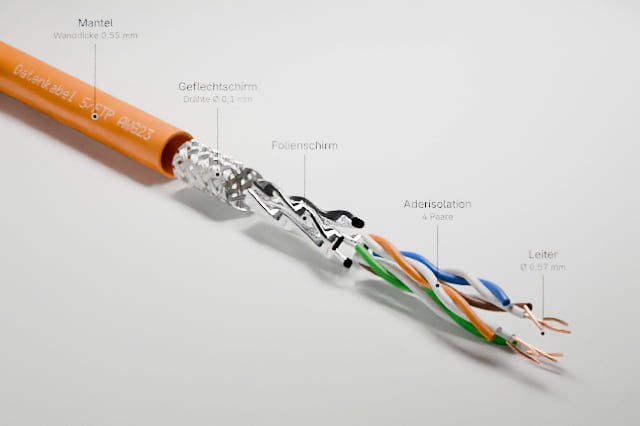
Exploded viewOrderable in the portal 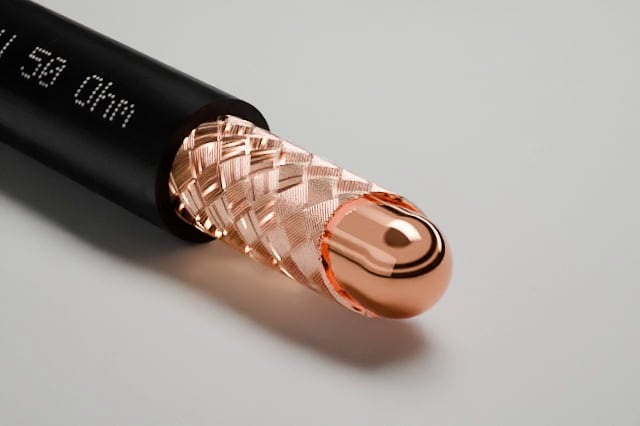
MaterializationMade in the studio 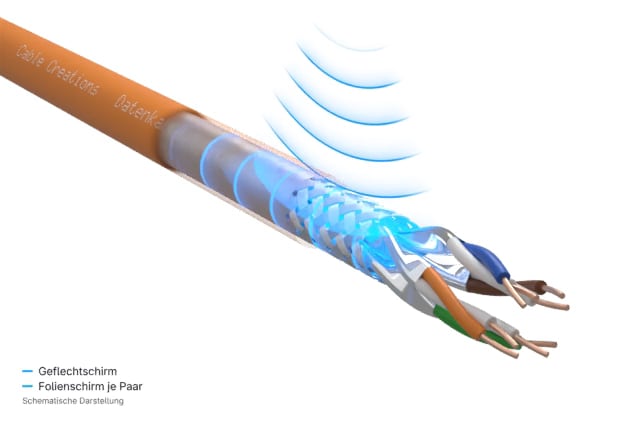
ShieldingMade in the studio 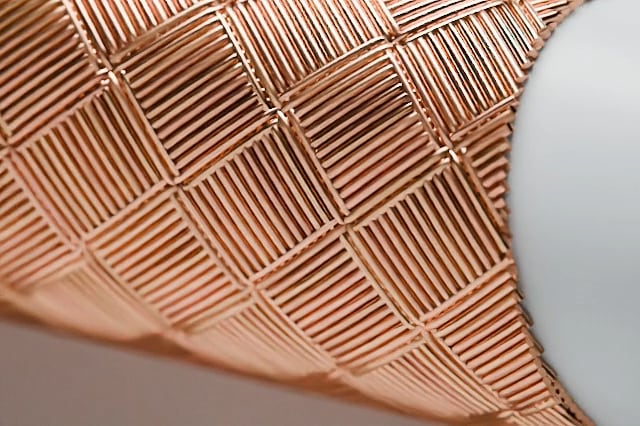
Macro moveMade in the studio


For you
The construction that only the datasheet describes, explained in ten seconds.
The same data draws the datasheet.
Drawing, datasheet, CAD. From one source.
The cross-section drawing with its legend, the datasheet in German and English and the 3D files come from the same data as the image. Every size has its own drawing and its own model.
Cross-section drawing
1 : 1Data cable S/FTP AWG23
- JacketØ 8.5 mm
- BraidØ 7.4 mm
- Pair shieldØ 2.9 mm
- InsulationØ 1.4 mm
- ConductorØ 0.57 mm
The datasheet is drawn from the data
- A cable's data is entered once in the portal.
- The datasheet is drawn from it: cross-section drawing, table, logo.
- When the data changes, the datasheet is redrawn, in German and English.
Formats
- Cross-section drawing
- SVG PDF PNG DXF
- Datasheet
- PDF German English
- 3D model per size
- DXF OBJ STL GLB
For you
Image, drawing and datasheet never contradict each other, because they share one source.
Then it goes where your customers are.
Catalog, website, sample. Every way leads to the right cable.
A public catalog under your name. A QR code on the sample that opens exactly this cable. And an inquiry that lands in your portal.
QR code on the cable sample
- A QR code label goes on the cable sample.
- The customer scans it with a phone.
- They land right on this cable's page in the catalog.
Six ways to the customer
Catalog
Public, under your name, with an inquiry form on every cable page.
Your website
Embed the cables as cards, with one code snippet.
QR code
One permanent code per cable. Every scan is counted.
Labels
For samples and drums, single or as an A4 sheet, as a PDF.
Showcase
Selected cables for one customer, with your contact, by link.
Kit
Images and data for your agency, by link.
Your team does it itself.
One portal. Everyone with a sign-in of their own.
Order images and videos, download datasheets, turn the cable in 3D: all in the portal, without asking us. Every colleague has a sign-in of their own, and what the team orders on top is on one monthly invoice.
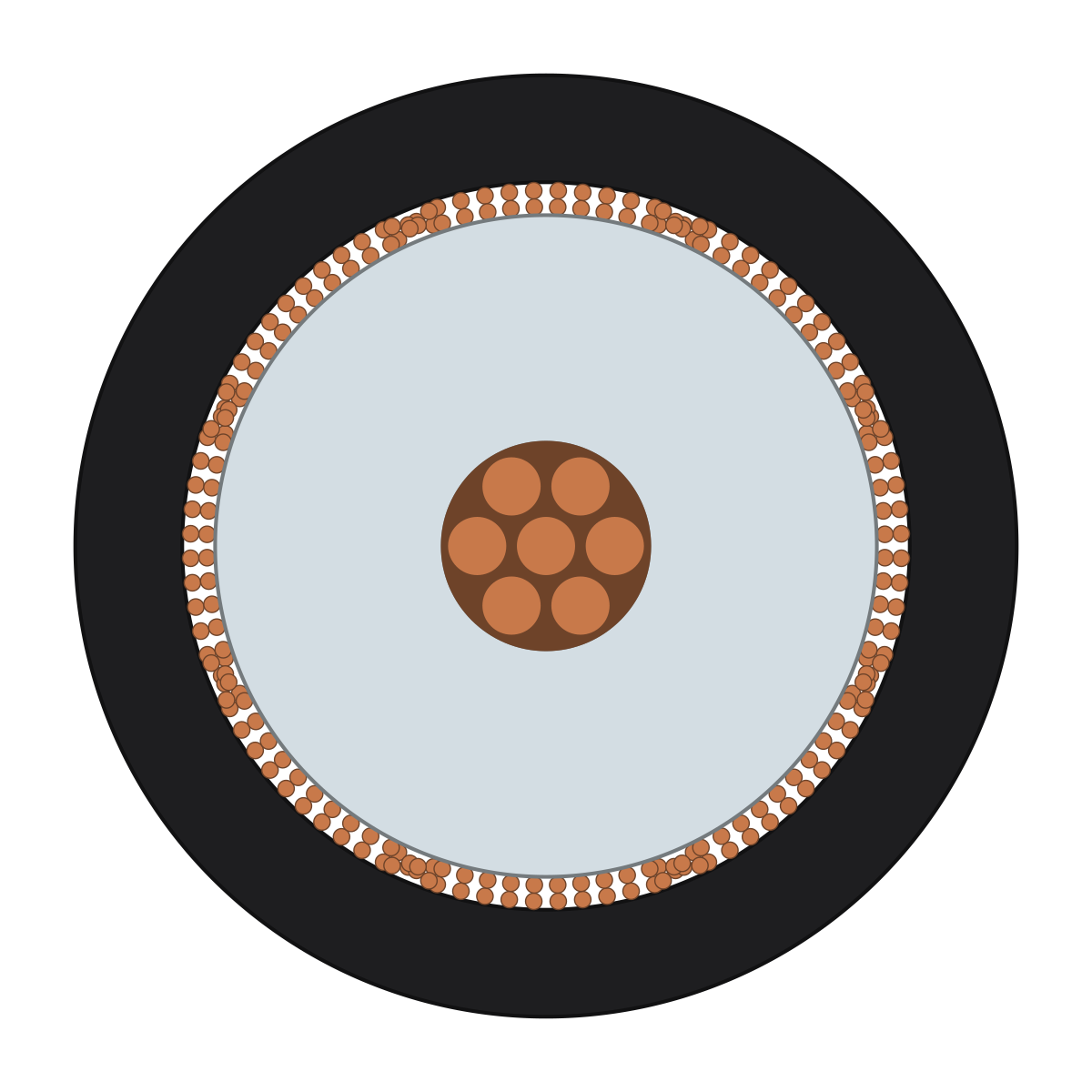
Loads the model (0.1 MB)
In the portal
A sign-in of your own
Every person signs in for themselves.
Guests are free
Your agency works along, at no fee.
One monthly limit
Everyone orders extras under one limit, with a monthly overview.
How an image is ordered
- Pick the view: perspective, side view, or cut open.
- Pick the look: surface and light.
- The price is fixed up front and goes on the monthly invoice.
- Shortly after, the image is in the media library.
For you
Marketing, sales and engineering work with the same cables without waiting for each other.
When something changes, everything changes with it.
A new print? One order, every image new.
The print is part of the model and is rendered dot by dot. Change the print or its font, and the portal marks every image it affects as outdated; one order renders them again.


One order brings every image up to date
- Every image shows the state of the data, print and font included.
- The print or the font changes.
- The images still show the old state: they are marked as outdated.
- One order renders all affected images again.
For you
No image in the catalog shows a print that no longer exists.
And the lineup you already have? We bring it over.
Your lineup already exists. We move it.
Datasheets, spreadsheets, old images, 3D files: we read what you have and build your lineup in the portal from it. You check every cable before it goes public.
From folder to catalog
- Your documents arrive as they are: PDFs, a spreadsheet, images, 3D files.
- We read every construction and write it down as construction data.
- The data produces the model, the cross-section drawing, and the images.
- The cables are in your portal as drafts, ready for the catalog.
You take the next step on your own.
Look around the portal. No account needed.
The demo portal shows a customer portal with sample data. You don't need an account and can look at everything.
Already a customer? Sign in
Our prices are public.
What each package includes, what an image costs as an extra, and how your cables get into the portal.