
For fairs and print
Design services with your cables: wall, roll-up and flyer.
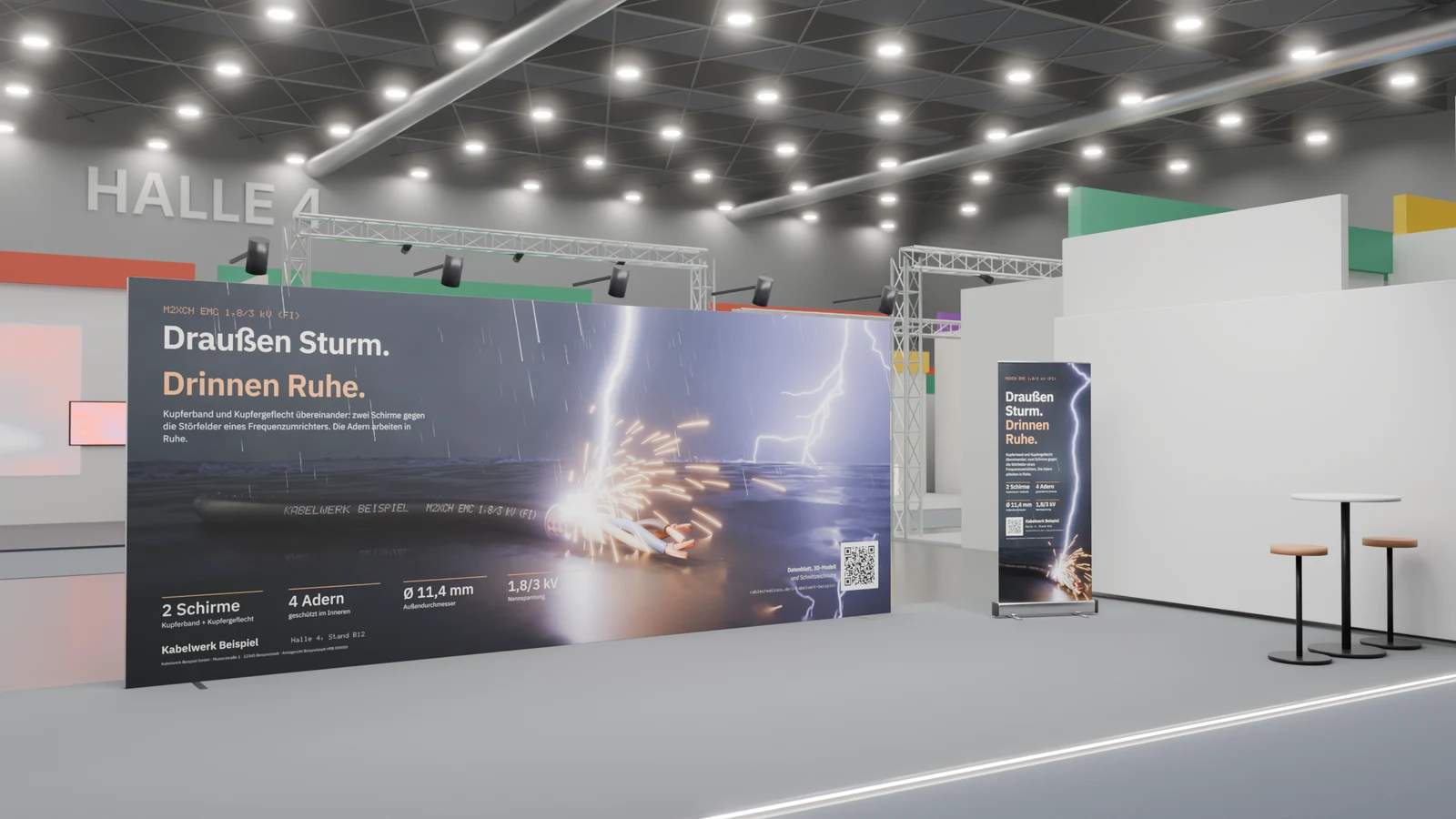
Our design services put your cables on a trade-fair wall, roll-up and folded flyer: from their 3D model, in one style, with checked print data.
Who it's forFor marketing, sales and everyone who prepares a trade-fair stand or print work with cables.
In short
- A fixed price per service, ordered with the briefing
- Stages from concept to print data, with rounds of changes
- Notes right on the page of the PDF
- Wall, roll-up and flyer also as one trade-fair package
What are the design services?
What it is
Design is an order in the portal: we design your trade-fair wall, roll-up, flyer or brochure with your cables and deliver checked print data.
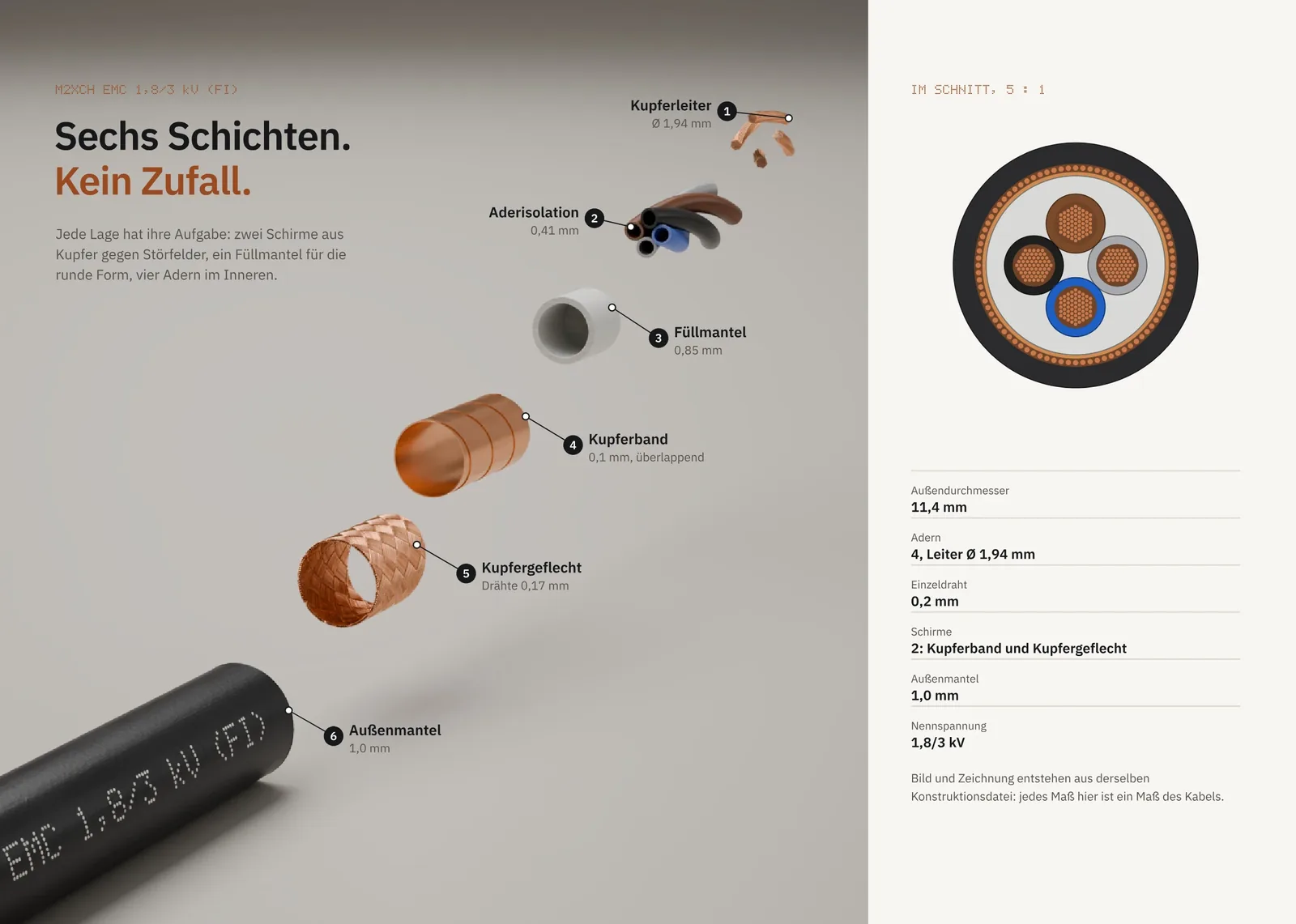
The cable in the motif is no photo and no stock picture. It is the same 3D model your renders, drawings and datasheets come from.
That is why wall, roll-up and flyer belong together: they show the same scene, with a camera of its own for each format.
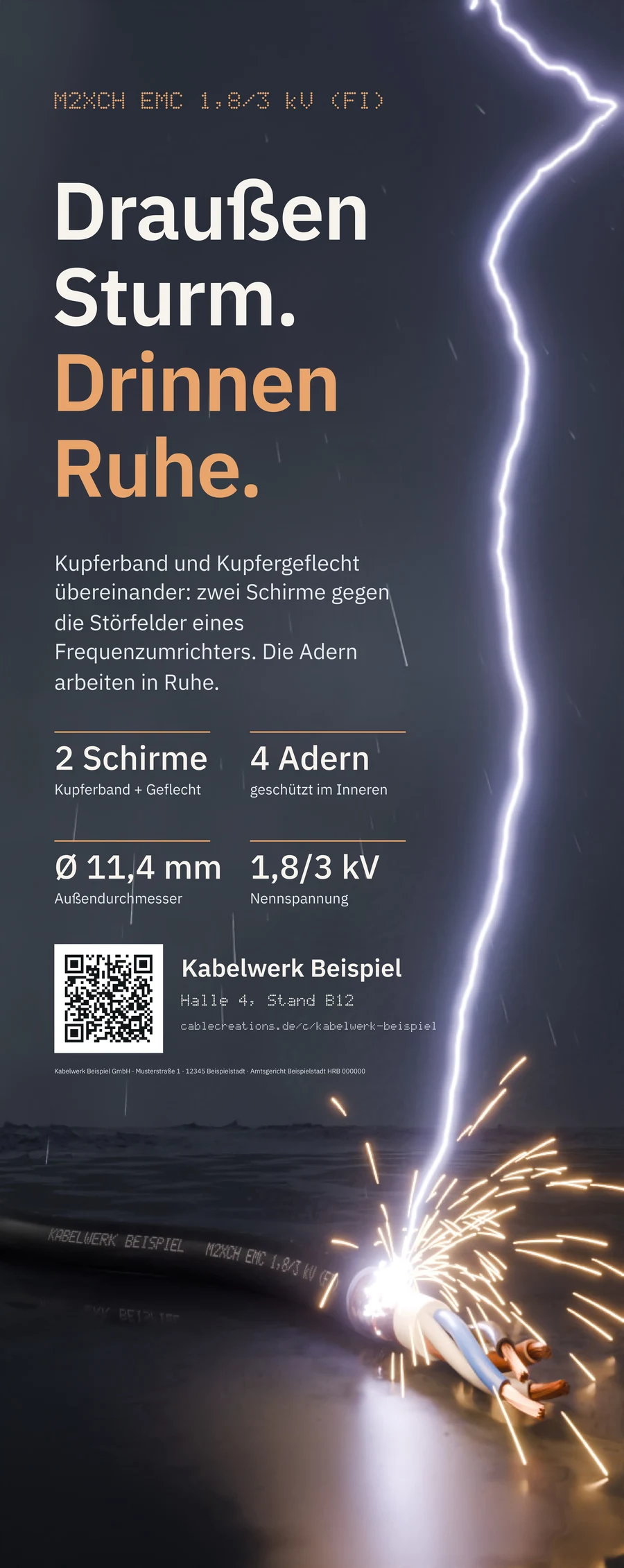
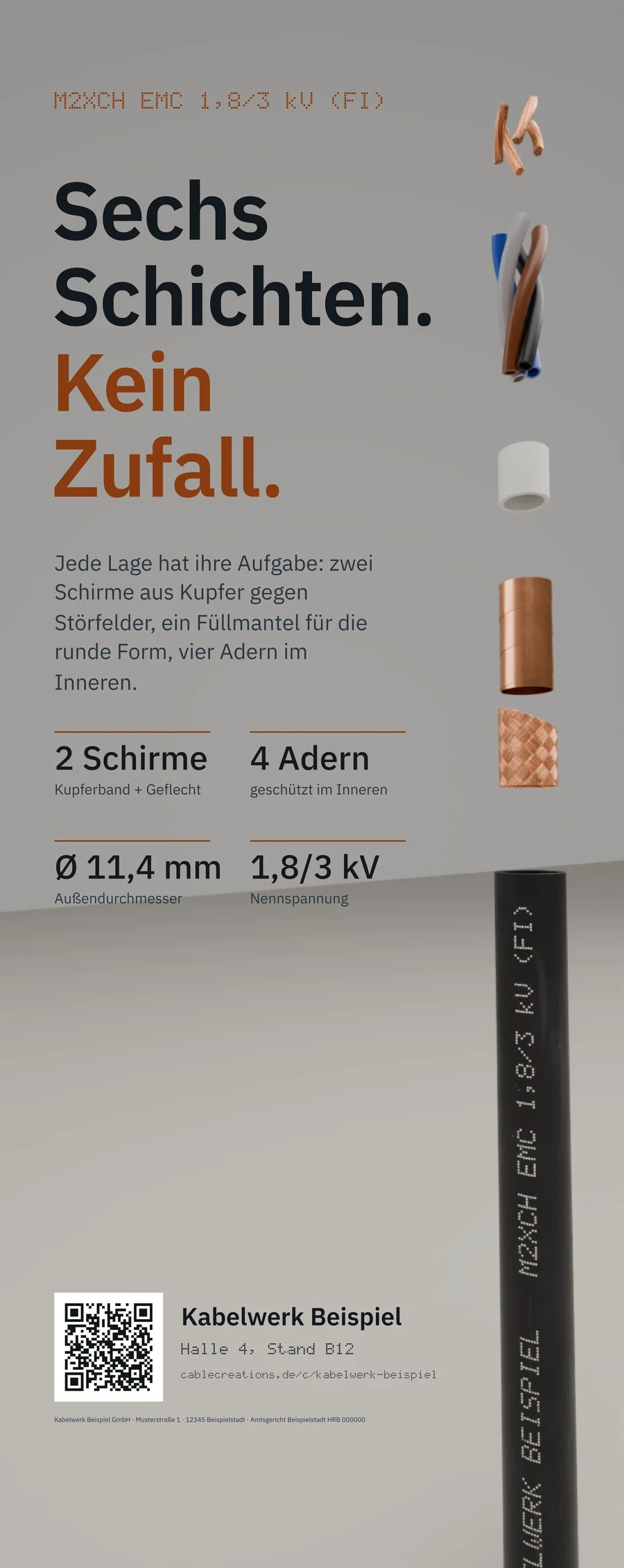
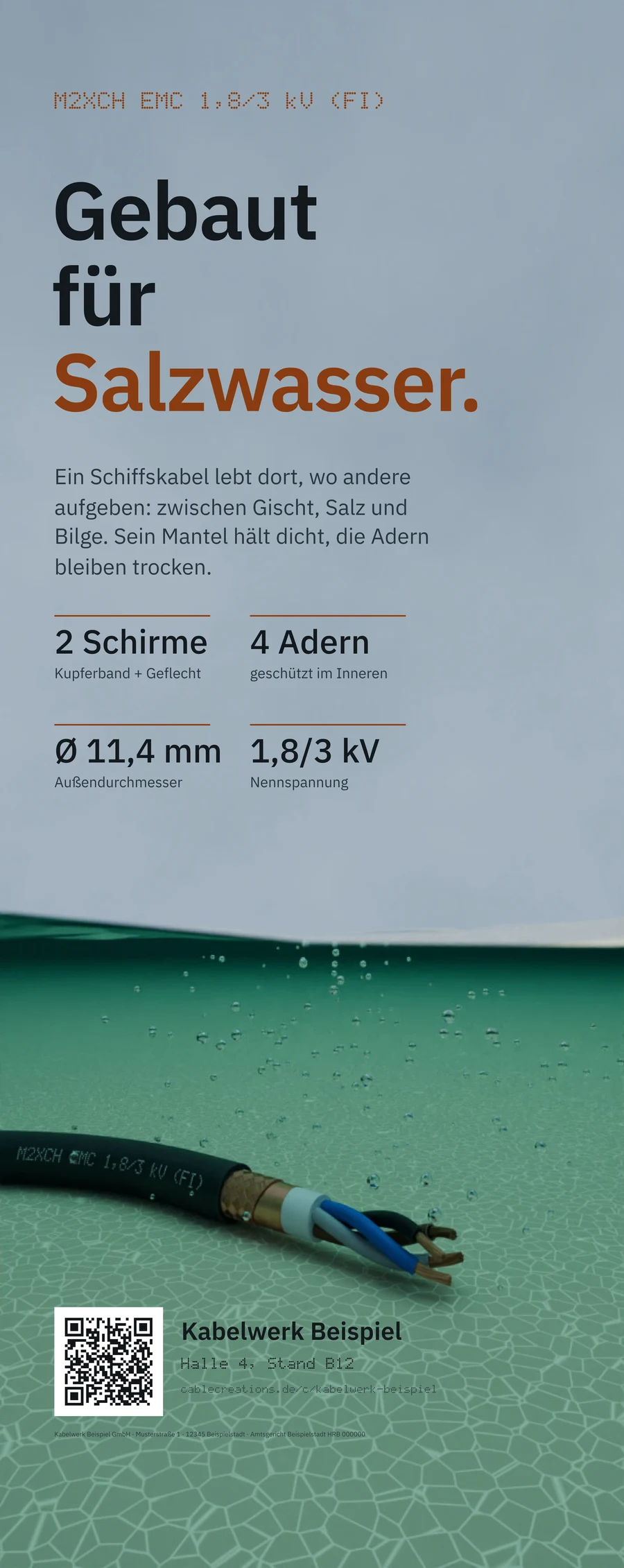
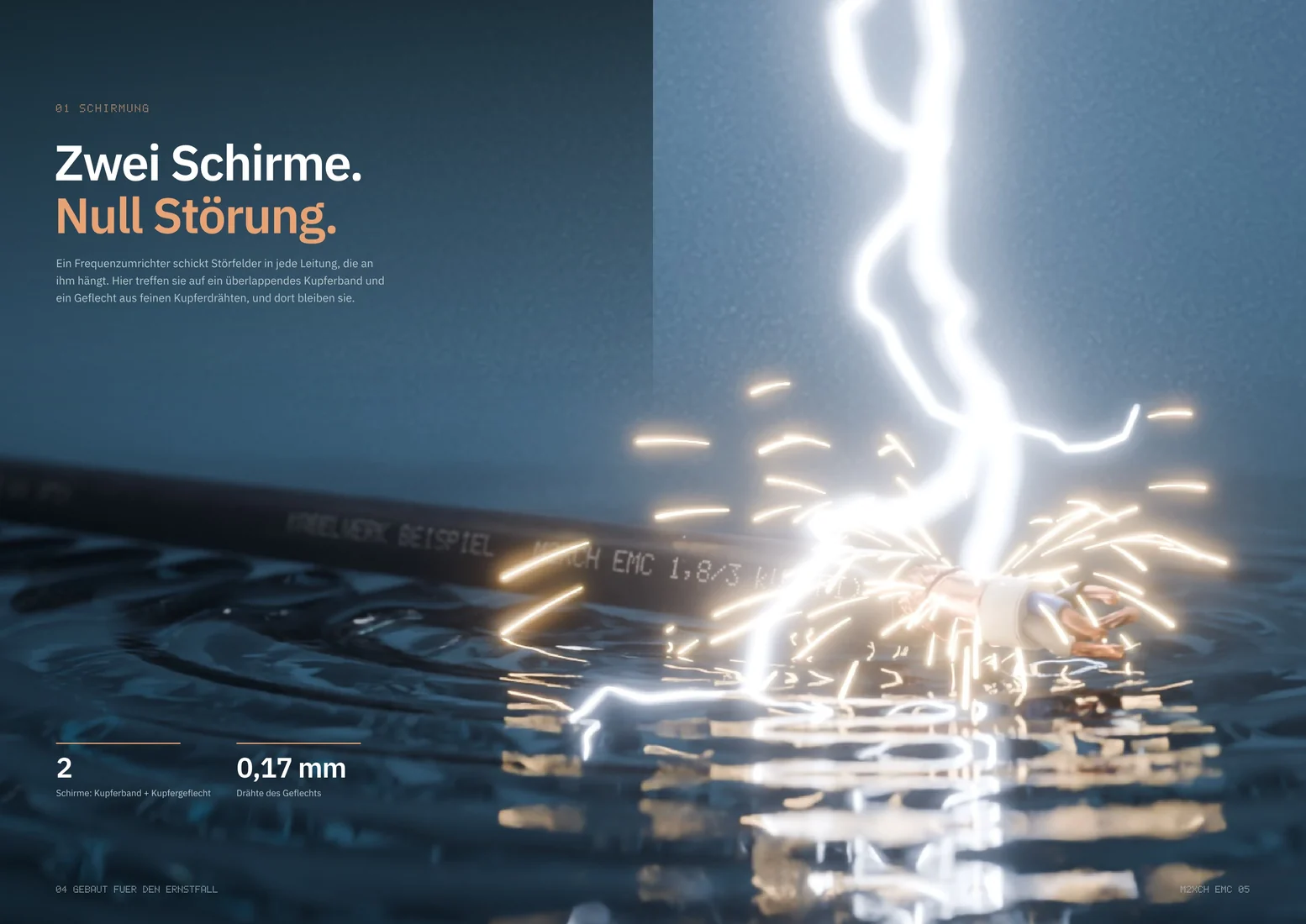
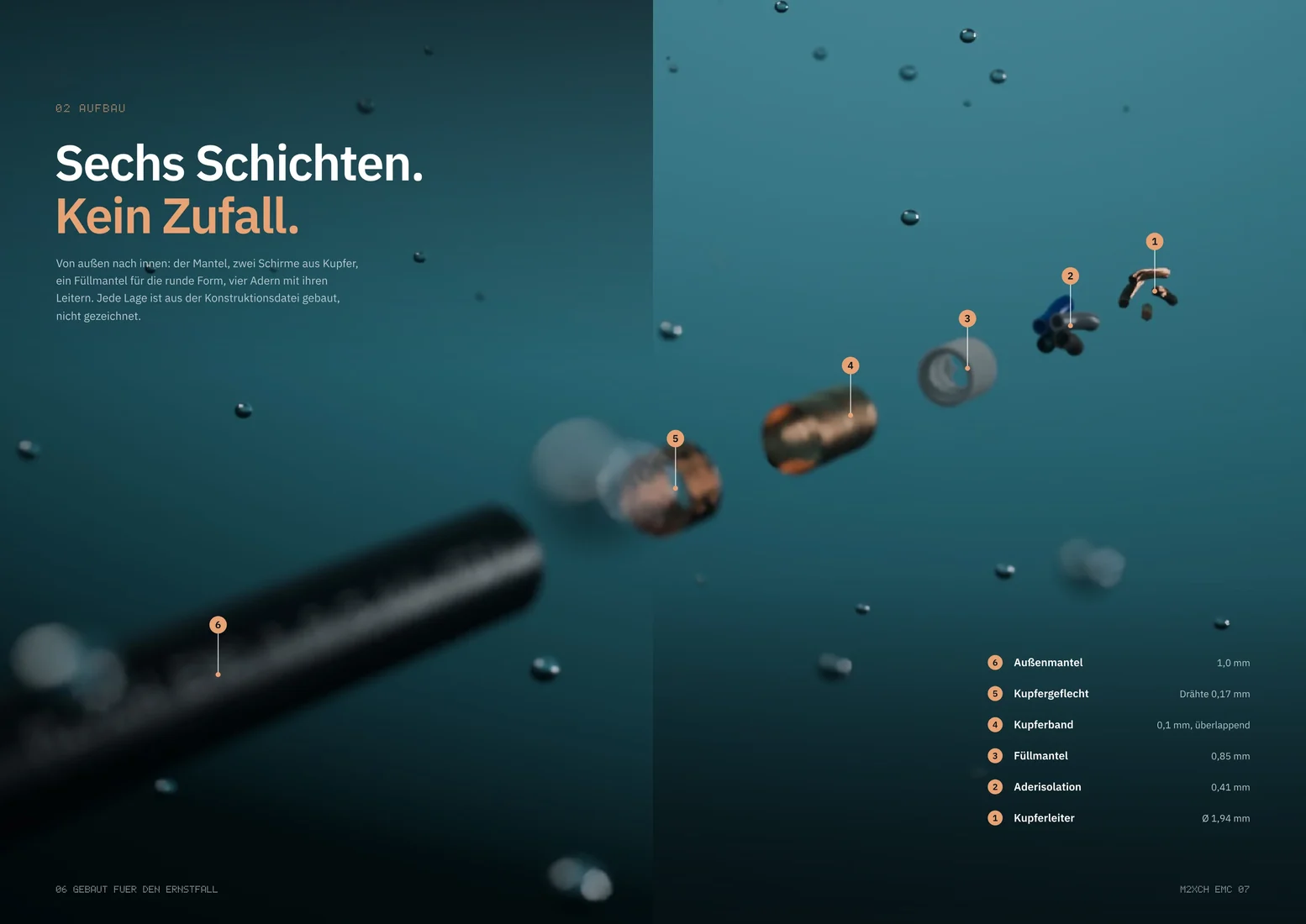
Four renders from the 3D models of cables, among them a printed jacket and a stripped end. An arrow leads from them to three trade-fair walls: a storm with lightning, the cable in layers and the cable under water.
Your cable as a 3D model


Three motifs for the stand
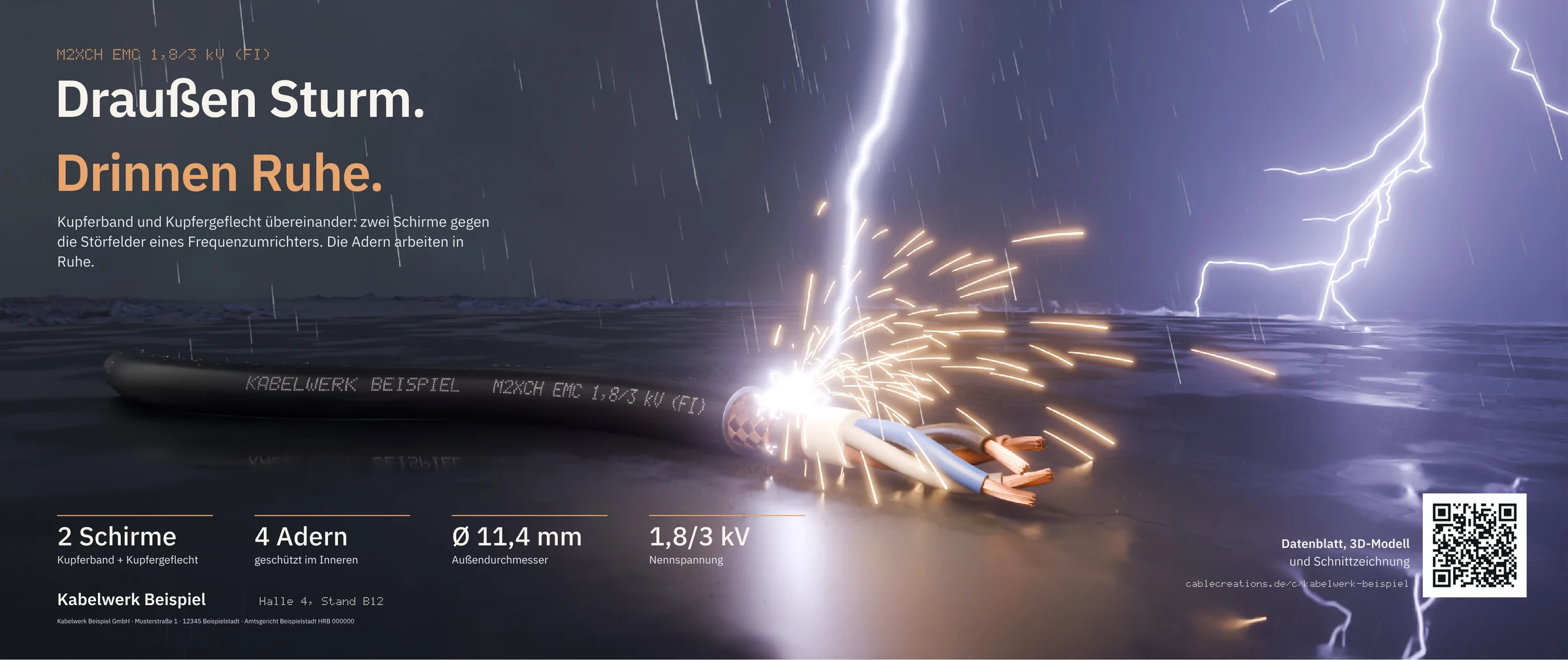 Storm outside.
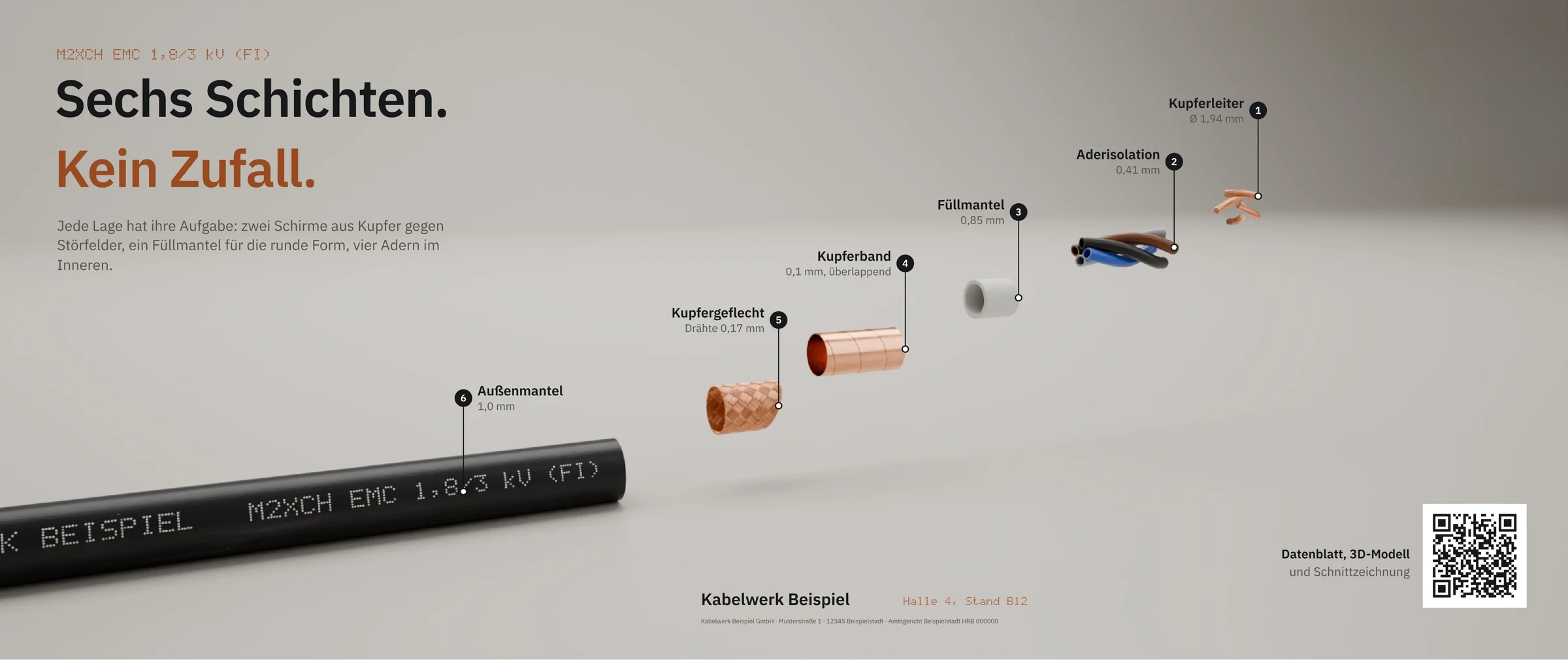 Six layers.
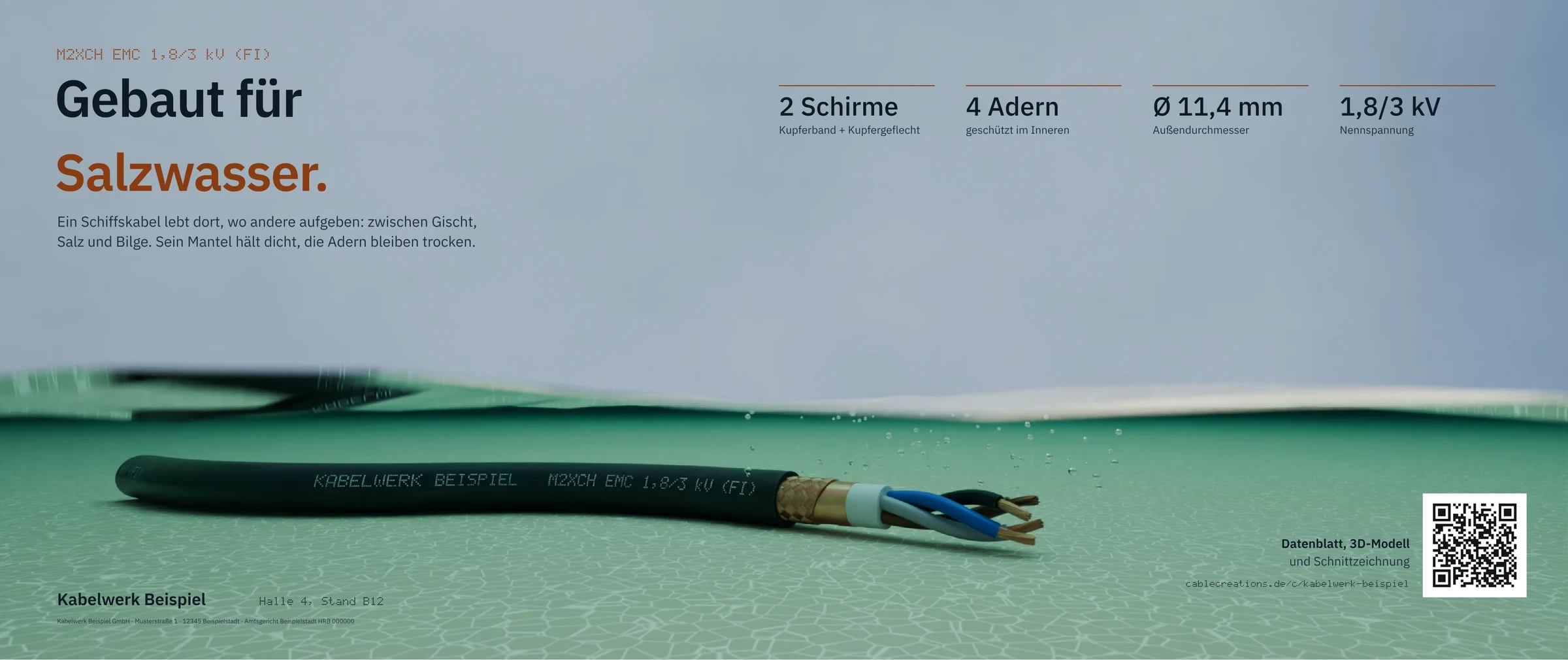 Built for salt water.
Key terms
- Design order
- An order for print work: trade-fair wall, roll-up, folded flyer, brochure or the trade-fair package.
- Briefing
- What you tell us about the order in one form: format, cables, claim, logo and when you need the print data.
- Stage
- A part of the order with a delivery of its own, such as concept, layout and final. The last stage is always the print data.
- Round of changes
- Your notes on a delivery, sent at once. Every stage includes a fixed number of them.
- Print data
- The PDF for your print shop, with bleed and embedded fonts. We check it before you approve it.
How does an order run?
How it works
You write the briefing and order the service at its fixed price; we then deliver stage by stage until you approve the print.
Every step shows on your order's page. At the top you always see whose turn it is.
The process as six stations on one line: you order with the briefing at its fixed price, we start, we deliver a stage, you add notes or accept, we deliver the print data, you approve the print.
YouWe
YouFill in the briefing and order
WeThe work starts
WeDeliver a stage
YouAdd notes or accept
WeDeliver the print data
YouApprove the print
Step by step
- Step 1 of 6: You
Fill in the briefing and order
You pick the service and fill in its briefing. You see the fixed price beforehand; sending the briefing agrees it.
- Step 2 of 6: We
The work starts
We read your briefing and start the first stage right away. If something is missing, we ask.
- Step 3 of 6: We
Deliver a stage
We deliver the stage as a PDF, every page with a preview. A delivery holds up to 12 files, such as wall, roll-up and flyer.
- Step 4 of 6: You
Add notes or accept
You pin notes right on the page or accept the stage. Without an answer it counts as accepted after 7 working days, with a reminder after 5.
- Step 5 of 6: We
Deliver the print data
After the last stage we deliver the print data. We check format, bleed, resolution and fonts.
- Step 6 of 6: You
Approve the print
Only you approve the print, never the portal by itself. Then print data and source files are ready to download.
What you have afterward
Every delivery stays in the order with its notes. You find the files there and under “Files” in the portal.
What does a delivery look like?
A delivery from top to bottom
A delivery shows every page as a preview, takes your notes at the right spot and tells you what is still open.
The example is a trade-fair package in its second stage. Wall, roll-up and flyer come in the same delivery.
Trade-fair package: Six layers.
Your turn- Concept
- Layout
- Final
- Print data 1
A2- trade-fair-wall.pdf
- roll-up.pdf
- folded-flyer.pdf
APlease use our stand number here.3
What the numbers show
The stages
Where the order stands: concept, layout, final and print data. A stage starts when the one before is accepted.
The pages as previews
Every page of every PDF shows in the browser. You need no program and download nothing.
A note on the page
You click the spot and write what should change. The note stays at that spot of the page.
The rounds left
How many rounds of changes the stage still includes. You order every further round at its fixed price.
Accept
One click accepts the stage, and the next one starts.
Wall, roll-up, flyer or all of them: which do I use when?
The services compared
For the stand you take the trade-fair package, for one product the brochure, otherwise one piece.
Even ordered on its own, a roll-up or flyer can take a wall's motif. You say so in the briefing.
Four cards: a wide trade-fair wall, a tall roll-up, a folded flyer, and all three together as the trade-fair package. Under each card its format, stages and what is delivered.
Trade-fair wall
- Format
- Your wall's size, in one piece or in panels
- Stages
- Concept, layout, final, print data
- Delivery
- Print data at your print shop's scale
Roll-up
- Format
- Upright, in three widths
- Stages
- Concept, final, print data
- Delivery
- Print data with the cassette zone
Folded flyer
- Format
- DL with a roll or zig-zag fold, or as a folded sheet
- Stages
- Concept, final, print data
- Delivery
- Print data with folds and bleed
Trade-fair package
- Format
- Trade-fair wall, roll-up and folded flyer, always all three
- Stages
- Concept, layout, final, print data, shared by all parts
- Delivery
- All parts in the same delivery
The roll-up in detail
The wall's scene, shot anew for the upright format: the headline on top, logo and figures below, above the cassette.
The folded flyer in detail
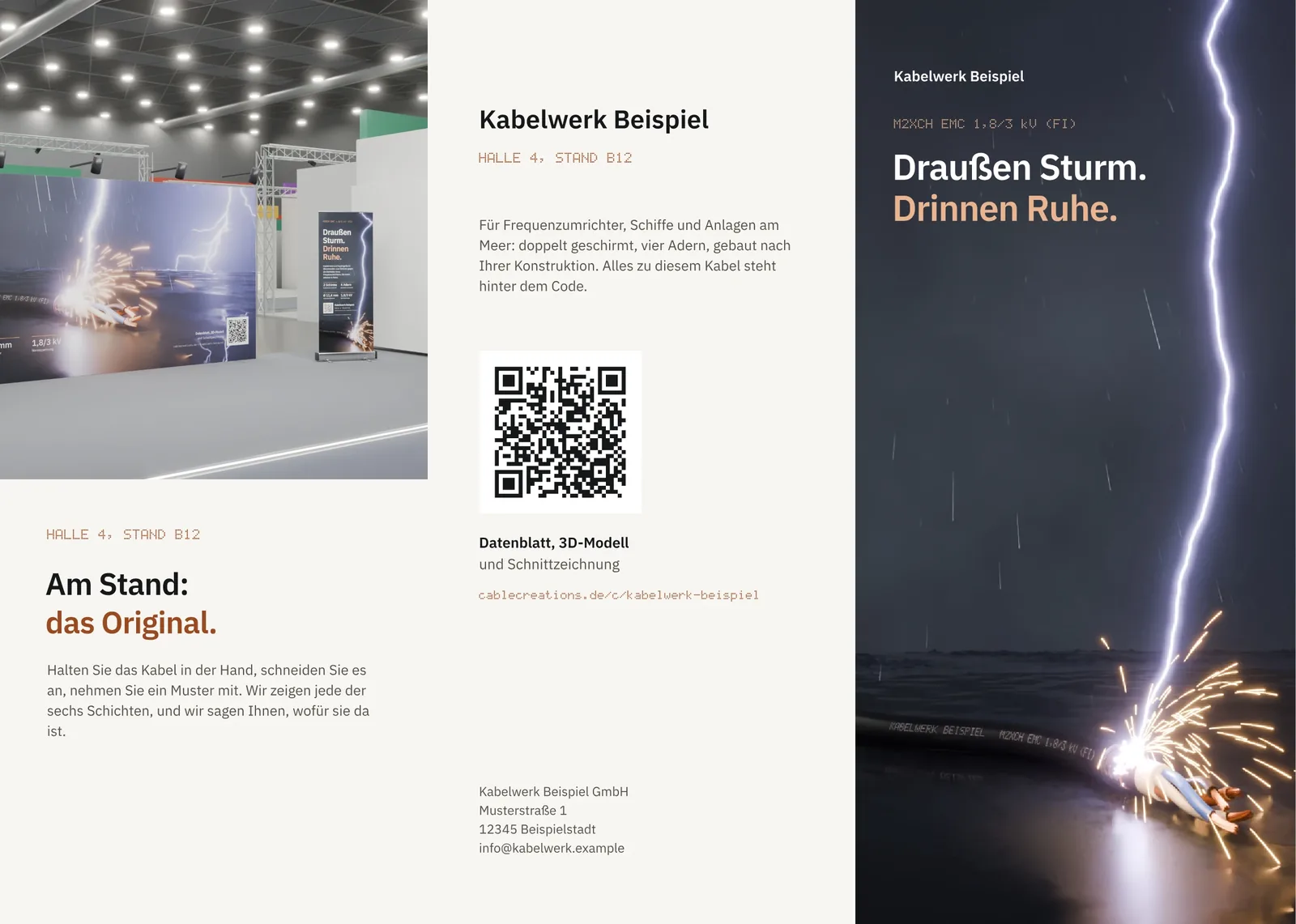
Outside the motif with contact and QR code, inside the cable layer by layer with its cross-section drawing and figures.
The brochure in detail
One product, told in one look: every spread a test the cable stands, every picture rendered for its page.

| Feature | Trade-fair wall | Roll-up | Folded flyer | Trade-fair package |
|---|---|---|---|---|
| Format | Your wall's size, in one piece or in panels | Upright, in three widths | DL with a roll or zig-zag fold, or as a folded sheet | Trade-fair wall, roll-up and folded flyer, always all three |
| Stages | Concept, layout, final, print data | Concept, final, print data | Concept, final, print data | Concept, layout, final, print data, shared by all parts |
| Delivery | Print data at your print shop's scale | Print data with the cassette zone | Print data with folds and bleed | All parts in the same delivery |
| Good for | The back wall of your stand | Entrance, counter or a second stand | Handing out at the stand | The whole appearance in one style |
What is it good for, and where does it end?
Benefits and limits
Design shows your real cable in one style across all formats, but it replaces neither the print shop nor the stand builder.
Advantages
Your cable as it is built
The motif shows your cable with its real layers and your print. No stock picture and no similar cable.
One style across all formats
Wall, roll-up and flyer show the same scene, shot anew for each format with a camera of its own.
Notes at the right spot
You pin notes right on the page. No list in an email that someone has to match up first.
Checked print data
We check format, bleed, resolution and fonts before you approve the print.
One order for the stand
In the trade-fair package all parts run through the same stages. You accept once, not three times.
Source files included
After the print approval you get the source files. Your agency or your designers can keep working with them.
Limits
No printing
We deliver print data. You order the print from your print shop or your stand builder.
No stand building
We design print work, not stands. Your stand builder sets the wall's size and material.
A fixed scope, no work by the hour
Every service has a fixed price and a fixed scope. More comes only as a round of changes at its fixed price, never by the hour.
Not overnight
Every stage takes working days, and every acceptance waits for you. For a print tomorrow the service is too late.
Only your cables in the portal
The motif shows cables set up in your portal. Another cable has to be modeled first.
Only for your team
A member with the permission for it can order. Guests do not see the services.
Not the right tool if:
- You need the print work within a few days.
- Your agency has the layout done and only needs a picture of the cable.
- You are looking for someone to plan and build the stand.
What is different from an agency with a photo shoot?
Compared with today
Today the cable comes from a photo shoot and feedback from emails; here it comes from its model, and feedback stays in the order.
An agency can do much that does not happen here: stand concepts, campaigns, copy for whole catalogs. The design here is narrow and made for cables.
Before: a pile of emails with attachments all called “final”. After: an order's page with stages, a preview with a pinned note and a check mark for the acceptance.
Until now
Agency with a photo shoot
Where the cable comes fromA photo shoot with samples
In the portal
Design in the portal
Where the cable comes fromThe 3D model of your cable
| Feature | Agency with a photo shoot | In-house design | Design in the portal |
|---|---|---|---|
| Where the cable comes from | A photo shoot with samples | Existing product photos | The 3D model of your cable |
| How you give feedback | By email with attached PDFs | In person and by email | With notes on the page, in the order |
| A second format | A new shoot or a crop | A crop of the existing picture | The same scene with a camera of its own |
| Print data | From the agency, checked its own way | Depends on the experience in house | Checked before you approve |
| When the cable changes | A new sample and a new photo | A new photo | The changed model, the same scene |
What do I need, and what does it cost?
What you need and what it costs
You need your cables in the portal, your logo and your print shop's specifications; every service has a fixed price.
What you need
Your cables in the portal
You pick the cables of the motif from your portal in the briefing. If one is missing, we model it first.
Logo and claim
Your logo as SVG, PDF or picture, and a claim if you like. You can upload further material too.
Your print shop's specifications
The wall's size, its split into panels and its bleed. For roll-up and flyer the format is enough.
A date
When you need the print data. Allow for your print shop's time as well.
What it costs
Every service has a fixed price, the same for every order; you see it before you send. Further rounds of changes cost a fixed amount too. Each accepted stage is billed on the monthly invoice.
What else do people ask?
Frequently asked questions
Short answers to what is usually asked before the first order.
- Do you print the wall too?
- No. We deliver checked print data; you order the print from your print shop or stand builder.
- Does my cable have to be in the portal already?
- Yes, in the briefing you pick the cables from your portal. If one is missing, we model it first from your construction data.
- Can I order the roll-up and flyer later?
- Yes. In the briefing you say that they belong to a trade-fair wall; then they take its motif.
- What if I need more changes?
- Then you order further rounds. Every round beyond the included ones costs a fixed amount you see before you send.
- Do I get the editable files?
- Yes. With the print approval the source files are ready too, so your agency or designers can keep working.