
Videos and loops
Cable animation as a loop from the 3D model.
A cable animation is a short video in which your cable, the camera, or the light moves—rendered from the same 3D model as your product images.
Who it's forFor marketing, product management, and the trade show team at a cable manufacturer.
In short
- Eleven motions, most of them a seamless loop
- HD, Full HD, or 4K, a few seconds long
- MP4, WebM with transparency, ProRes, or PNG frames
- Ordered in the portal, with the price set up front
A loop from the portal: the camera circles a coaxial cable. Below it is a list of what was ordered.

As orderedCamera orbitStandard lengthLoopPhoto studio
What is a cable animation?
What it is
A cable animation is a short video of your cable, rendered from its 3D model rather than filmed.
Your cable is in the portal as a 3D model, built from your construction data. Your product images are made from this model. Add a motion, and you get a video.
Most of the 13 motions are loops: the video is only seconds long, yet it plays for as long as you like. Three camera moves and tightening a gland run once from start to finish.
Five frames of a cable, with the cable turned a little further in each. An arrow curves from the last frame back to the first, so the video plays endlessly without a jump.
First frameEnd = startLast frame
Key terms
- Motion
- What moves in the video: the cable, its accessory, the camera, or the light. You pick one of 13 motions.
- Loop
- A video whose last frame leads into its first. It plays endlessly with no visible cut.
- Shot
- The camera angle, lighting, and materials of the video. The shots are the same as for your product images.
- Frame rate
- How many frames play per second: 25, 30, or 60. More frames look smoother and cost more.
- Cutout
- The cable without a background. That lets you place the video over your own design.
How do I order a video?
How it works
You set up the video in the portal with a few choices, see the price, and order.
The form is on your cable's page, where you order images. It shows a still of the shot and a diagram of the motion.
The process as seven stations on one line: you pick the shot and motion, set resolution, length, background, and format, and order at the price shown. The portal renders the frames and saves the file to the media library.
YouThe portal
YouPick the shot
YouPick the motion
YouSet size and length
YouPick the format
YouCheck the price and order
The portalRender frame by frame
The portalSave the file to the library
Step by step
- Step 1 of 7: You
Pick the shot
You pick the camera angle, lighting, and materials, just as for a product image.
- Step 2 of 7: You
Pick the motion
The form offers the motions that suit the shot and the cable. A diagram shows what moves. For labels, you pick the language.
- Step 3 of 7: You
Set size and length
You pick HD, Full HD, or 4K, a short, standard, or long length, and the frame rate.
- Step 4 of 7: You
Pick the format
The cable appears as a cutout, against a color, or on a surface. You also pick the file format.
- Step 5 of 7: You
Check the price and order
You see the price in credits before you order. You also see the video's pixel dimensions.
- Step 6 of 7: The portal
Render frame by frame
The portal renders every frame from the 3D model. Depending on the length, that takes from a few minutes to over an hour.
- Step 7 of 7: The portal
Save the file to the library
The frames are combined into one file. You find it in your media library with a preview image and a player.
What happens during rendering
No real camera is involved. A virtual camera captures the 3D model frame by frame. You can follow the status in the portal under your orders.
How a video is made
- Pick the motion: turn, camera orbit, or traveling light.
- The camera moves around the 3D model and captures it frame by frame.
- The frames become one file, as a loop without a jump.
What do I get in the end?
What you get
You get a video file to download, plus a preview image and a player in the media library.
The file is meant for your own channels: the website, a presentation, or a screen at your trade show booth.

- Motion
- Turn
- Length
- 8 s
- Frame rate
- 30 fps
- Frames
- 240 frames
- Loop
- seamless
What the numbers show
The player
The video plays in the media library's player as an endless loop. It has no sound.
The details
The motion, length, frame rate, number of frames, and whether it loops are listed with the video.
The file
You download exactly the file you ordered, in the format you picked.
The preview image
The first frame of the video serves as its preview in the media library.
Which motion should I use when?
The motions compared
The cable turns, the camera moves, the light moves, or the cable explains itself.
The turn shows the cable from all sides. A camera motion moves around the stripped end or along the cable. Moving light leaves the cable still and works well behind text.
The exploded view takes the cable apart into its layers and labels each one. The bend radius bends it to its minimum bend radius for fixed installation and draws the radius in. Both come with a still of the most telling moment.
Both are available only for a cable that lies straight. The exploded view needs at least two layers, and the bend radius needs its value in the cable's data. If one of these is missing, the motion is switched off in the form, which gives the reason.
Along the print, crane shot, and hero sweep are not loops: the camera moves once and comes to rest. They are available only from the perspective view, in the photo look or product photo, for a cable that lies straight. Along the print needs a print on the jacket.
With an accessory in the image, two motions are added. In paying out, the drum turns and your cable runs across the floor. Tightening is not a loop: the gland's dome nut turns down once.
Four real loops, each with a diagram of its motion: the cable turns on its axis, the camera sways in front of the cable, the light travels across the cable at rest, and the cable comes apart into labeled layers.
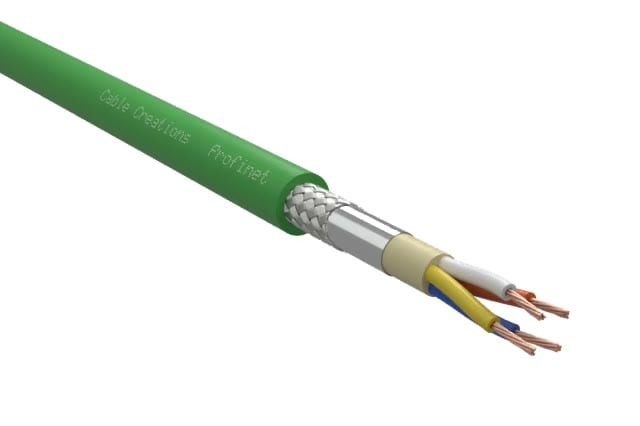
The cable or its accessory turns
Typical useThe product page: the cable from all sides
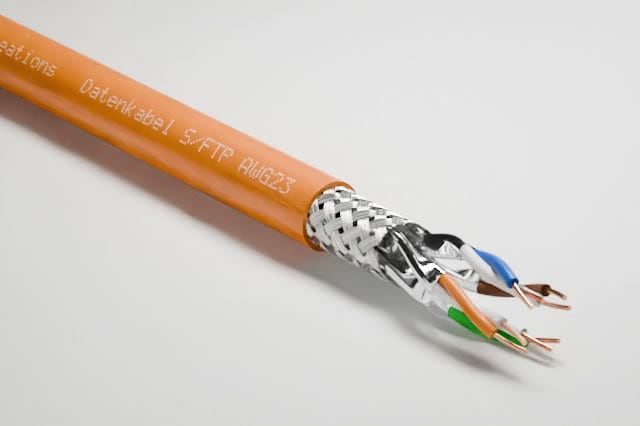
The camera moves
Typical useAn eye-catcher for your home page and booth
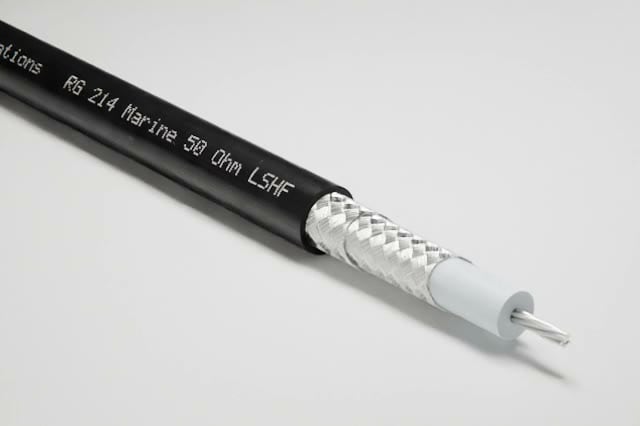
The light moves
Typical useA calm background behind text
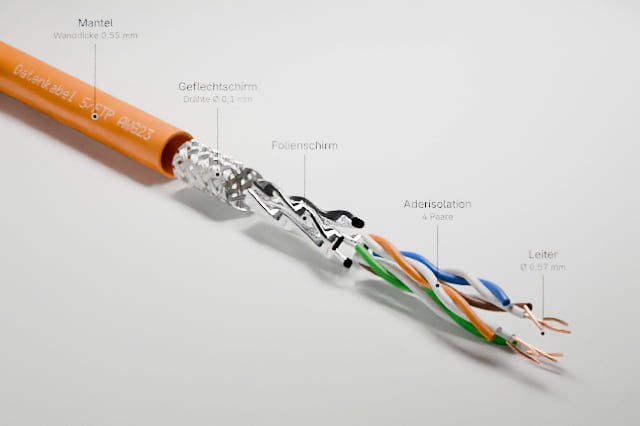
The cable explains itself
Typical useTraining, sales, and the product page: construction and bend radius explained


| Aspect | The cable or its accessory turns | The camera moves | The light moves | The cable explains itself |
|---|---|---|---|---|
| Motions | Turn; with an accessory, paying out and tightening | Camera orbit, camera sway, along the print, crane shot, and hero sweep | Traveling light, passing clouds, and leaf shadows | Exploded view and bend radius |
| What you see | The cable turns once on its own axis; a drum pays it out, a gland is tightened | The camera circles the cable, sways gently in front of it, or moves once along the print, up, or in | The cable stays still; light and shadow move across it | The cable comes apart into labeled layers or bends to its bend radius |
| Standard length | 8 seconds; paying out 12, tightening 6 seconds | 10, 6, or 8 seconds | 6 or 8 seconds | 10 or 8 seconds |
| Suitable shots | Every angle with video, including the side view; paying out and tightening from their accessory's view | Every angle with video except the side view; the three moves only from the perspective view in the photo look or product photo | Studio lighting or daylight, depending on the motion | Selected shots in studio lighting; the cable lies straight |
| On a surface | No | No | Yes, such as concrete, wood, or grass | No |
| What the cable needs | Nothing more; for paying out a drum, for tightening a gland in the picture | For the three moves a cable lying straight, along the print also a jacket print | Nothing more | At least two layers; for the bend radius, its value for fixed installation |
| Labels in the image | None | None | None | German or English, a separate video per language |
| As a loop | Yes | Camera orbit and camera sway yes, the three moves not | Yes | Yes |
| Typical use | The product page: the cable from all sides | An eye-catcher for your home page and booth | A calm background behind text | Training, sales, and the product page: construction and bend radius explained |
What do I gain, and where are the limits?
Advantages and limits
You get a clean video without a shoot, mostly as a loop, but not a directed video with sound and editing.
A materialization as a video: a coaxial cable forms layer by layer from liquid metal. We make videos like this in our studio, and you can't order them in the portal.

Made in our studio
- Materialization
- Shielding effect
- Macro shot
Not available in the portal
Advantages
No shoot, no sample
You don't send in a cable or book a studio. The 3D model is already in the portal.
A seamless loop
Except for the three camera moves, every motion ends where it begins. Nobody has to edit the loop to make it play endlessly.
The same look as your images
The video and the product image come from the same model and the same shot.
The price is set up front
The form shows the price in credits before you order.
A cutout with no rework
WebM, ProRes, and the PNG frames have the transparency built into the file.
The file for your channel
There are 4 formats: MP4, WebM, ProRes for video editing, and PNG frames.
Limits
Fixed motions
You pick one of 13 motions. You can't define your own camera path.
Not every cable explains itself
The exploded view and the bend radius are available only for a cable that lies straight. The bend radius also needs its value in the cable's data.
Not every shot moves the same way
The side view has no camera motion, and the three moves are available only from the perspective view. Some shots have no video at all.
Short videos
A video lasts 3 to 24 seconds. The longer side is 3840 pixels at most (4K). 4K comes in every length and frame rate; it takes longer to render and costs more accordingly.
No sound, no titles of your own
The video has no audio track. Only the exploded view and the bend radius carry labels, in German or English. You add your own titles in your video editor.
No moving preview
Before you order, you see a still and a diagram of the motion, not the video itself.
No player in the catalog
No video plays in the public catalog. A showcase plays the exploded view, the bend radius, and the videos from the cable's gallery. Elsewhere, you embed the file yourself.
Large formats have a limit
ProRes and PNG frames are available only if the file doesn't get too large. The form tells you before you order.
No studio videos in the portal
We make the materialization, shielding effect, and macro move in our studio. You can't order them in the portal.
Not the right tool if:
- You need a video with a narrator, music, and a storyline.
- The video needs to show several cables, connectors, or an entire installation.
- You need a video longer than half a minute, for a large LED wall, for example.
How is this different from a shoot or hiring a 3D agency?
Compared with today
The difference is in what comes before the video, because here there is no shoot and no brief, only a form.
In exchange, the selection is fixed. If you need creative control, a shoot or an agency is the better choice.
A shoot: a sample of the cable on a turntable with a camera on a tripod in front of it. By contrast, the portal: a form with a few choices that produces a video file directly.
Until now
Shoot with a turntable
What you supplyA sample of the cable, cleanly stripped
From the model
Video from the portal
What you supplyNothing; the 3D model is in the portal
| Aspect | Shoot with a turntable | 3D agency | Video from the portal |
|---|---|---|---|
| What you supply | A sample of the cable, cleanly stripped | Drawings, photos, and a brief | Nothing; the 3D model is in the portal |
| Seamless loop | Only with extra editing | If you ask for it | With every motion except the three camera moves |
| Price | By quote | By quote | Shown in the form before you order |
| Cutout | Masked by hand | If you ask for it | As WebM, ProRes, or PNG frames |
| The next cable | A new shoot | A new project | The same shot, the same motion |
| Creative control | Yes, anything is possible | Yes, anything is possible | No, fixed motions |
What do I need, and what does it cost?
What you need and what it costs
You need your cable as a 3D model in the portal and credits, and you see the price before you order.
What you need
Your cable in the portal
The cable has to be in the portal as a 3D model. We build it from your construction data.
A shot with a motion
You pick a shot that has a video. The form shows which ones do.
Credits in your account
A video costs credits, just like an image. Any team member can order.
A little patience
A video is made up of many frames. Rendering takes from a few minutes to over an hour.
No software
You don't install anything. The form, the rendering, and the player all run in the portal.
What it costs
A video costs credits. The price depends on the shot, resolution, length, and frame rate, and a video on a surface costs more. The format does not change the price.
What else do people ask?
Frequently asked questions
Short answers to the questions people still have before the first order.
- What resolutions and lengths do the videos come in?
- They come in HD, Full HD, and, up to standard length, 4K. Depending on the motion, a video runs for a few seconds, and you can order it at half or double length.
- Can I place the video over my own background?
- Yes. WebM, ProRes, and the PNG frames support transparency, while MP4 needs a background. Safari doesn't display the transparency of a WebM file.
- How long does it take for the video to be ready?
- Depending on the length, from a few minutes to over an hour. A video is made up of many frames, and each one is rendered separately.
- Does the video play in my catalog?
- Not in the public catalog. A showcase plays the exploded view, the bend radius, and the videos from the cable's gallery. Otherwise, you download the file from the media library and embed it yourself.
- Does the video have sound?
- No. The file has no audio track. You add music, a narrator, and on-screen text yourself in your video editor.
- Can I order an exploded view in the portal?
- Yes, for every cable that lies straight and has at least two layers. We still make the materialization, shielding effect, and macro move in our studio, and you can't order them in the portal.