
Knowledge for your team
The cable academy: your cables, card by card.
With the cable academy, your team learns how your own cables are built, like with flash cards: a few minutes a day, in the portal.
Who it's forFor management, sales leads, and everyone who trains new colleagues.
In short
- Flash cards build themselves from your cable data
- Tap layers in the 3D model, match material and construction
- Learning boxes, daily goal, streak, and a certificate per topic
- Team figures without names, no extras
Tap the layerRG 214/U
Tap the dielectric.
RightDielectric
What is the cable academy?
What it is
The cable academy is a box of flash cards about your own cables that your team works through in the portal.
Today, knowing how your cables are built lives in a few heads. New people in sales and the back office need months before they explain a cable with confidence. And whoever leaves takes that knowledge along.
The academy turns it into a few minutes a day. The cards ask what your cable data already say: which layer sits where, what it is made of, and what it does.
Five learning boxes, one after the other. Under each it says when its cards come back: today, after 1 day, after 3, 7, and 21 days. A right answer moves a card one box up, a wrong one back to the first.
- Box 1today
- Box 2after 1 day
- Box 3after 3 days
- Box 4after 7 days
- Box 5after 21 days
- Right: one box up
- Wrong: back to box 1
Key terms
- Flash card
- A question about one of your cables, built from its cross-section drawing, 3D model, and cable data. There are 7 kinds, from tapping a layer to ordering the construction.
- Topic
- A group of cards: all cables, one cable family, or the cables without a family. Topics build themselves from your families.
- Learning box
- One of the 5 compartments of the card box. The higher the box, the later a card comes back.
- Round
- Up to 12 cards in one go, at most 6 of them new. A round takes a few minutes.
- Certificate
- The record for a topic once every one of its cards is in box 3 or higher. It can be printed.
How does it work?
How it works
The portal builds the cards, your team plays one round a day, and the portal remembers what has stuck.
You set up no course and write no questions. When a cable is added, it is in its topic with its cards the next time someone looks.
The process as six stations on one line: the portal builds cards from your cables, you invite your team, your team plays rounds and answers on the model, the portal sorts the cards into boxes and shows the progress.
The portalYouYour team
The portalCards from your cables
YouInvite your team
Your teamOne round a day
Your teamTap, match, order
The portalSort cards into boxes
The portalShow progress and certificate
Step by step
- Step 1 of 6: The portal
Cards from your cables
The portal builds flash cards from every cable with a model. It groups them into topics by your cable families.
- Step 2 of 6: You
Invite your team
You invite colleagues to the portal. Every member learns with their own sign-in and their own progress.
- Step 3 of 6: Your team
One round a day
A round has up to 12 cards. A daily goal of 20, 50, or 100 points keeps the rhythm.
- Step 4 of 6: Your team
Tap, match, order
Your team taps the layer asked for in the 3D model, picks a material or a job, and orders the construction. Without a 3D model, the card asks on the drawing.
- Step 5 of 6: The portal
Sort cards into boxes
A right answer moves the card one box up, a wrong one back to the first. So what has not stuck yet comes back soon.
- Step 6 of 6: The portal
Show progress and certificate
Everyone sees per topic where they stand and where to practice. Once a whole topic has stuck, the certificate follows.
What you see afterward
Per topic, you see how sure your team is on average and how many hold a certificate. The figures appear from 5 learners on and name nobody.
Your team per topic
- Coaxial cablesCertificate: at least half
- Data cablesCertificate: fewer than half
- Bus cablesToo few learners yet
What does a flash card look like?
One card, front to back
A card asks one question about one of your cables and shows right after the answer what is correct.
The example is a card of the kind “Tap the layer”. The other kinds are Identify the layer, Material, What the layer does, Order the layers, Exploded view, and “Which cable?”
For the exploded view, the card pulls the 3D model apart in the browser. No video is rendered for it.
Tap the layerRG 214/U
1Tap the dielectric.
3RightDielectric
What the numbers show
The question
What to find, in one sentence: here the dielectric of a coaxial cable.
Drawing or 3D model
The cross-section drawing and the 3D model of exactly this cable. In the model, the construction can be turned and pulled apart.
The answer
Your team taps the layer. The card says at once whether it is right, and then names every layer.
Points for the day
A right answer earns 12 points here. They count toward the daily goal and the streak of days.
The next box
The card moves one box up and does not come back for a few days.
All cables or one family: what do I learn when?
The topics compared
Newcomers start with one family; whoever has to explain the whole lineup learns all cables.
If a family does not matter to someone, they hide it for themselves. Nobody else on the team notices.
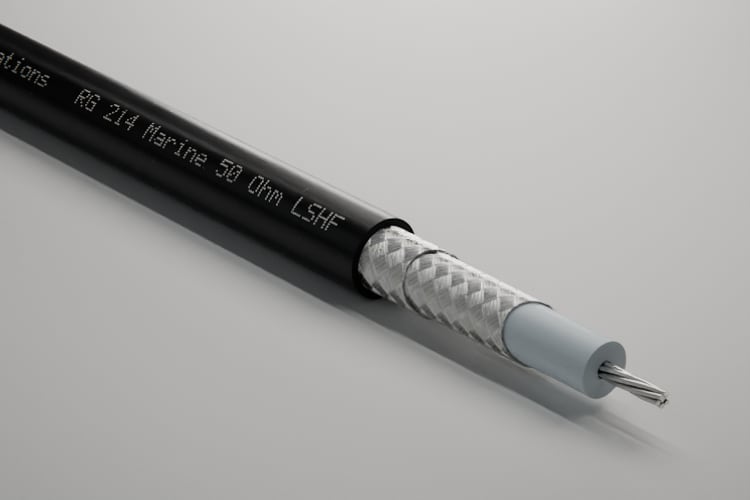
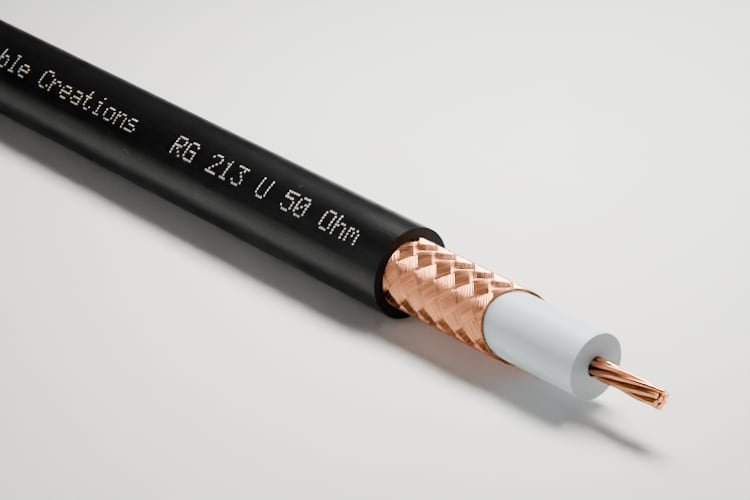
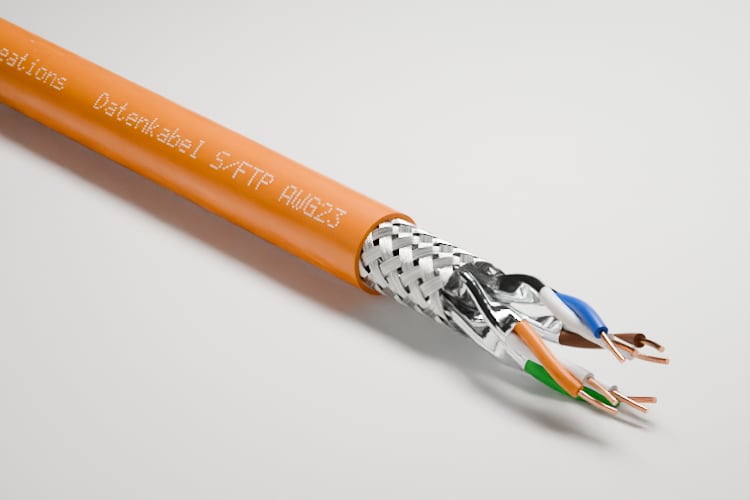
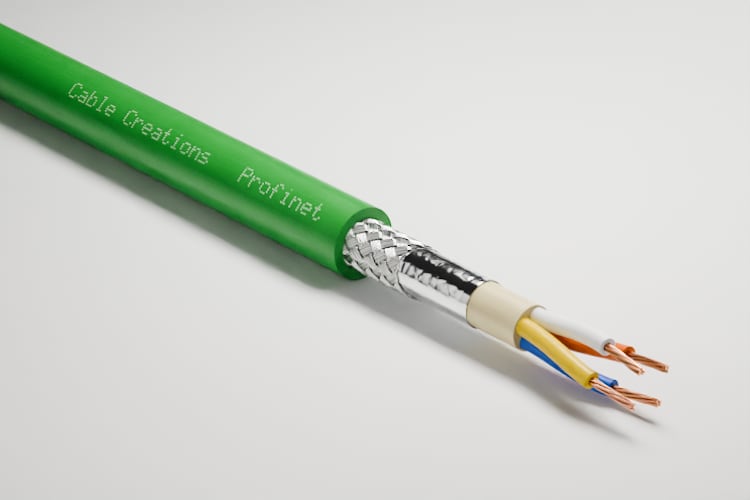
At the top the topic “All cables”, below it three cable families with real pictures of their cables: two coaxial cables, one data cable, and two bus cables. Beside them the other cables without a family.
All cablesEvery cable with a model
One family
Coaxial cables


One family
Data cables

One family
Bus cables
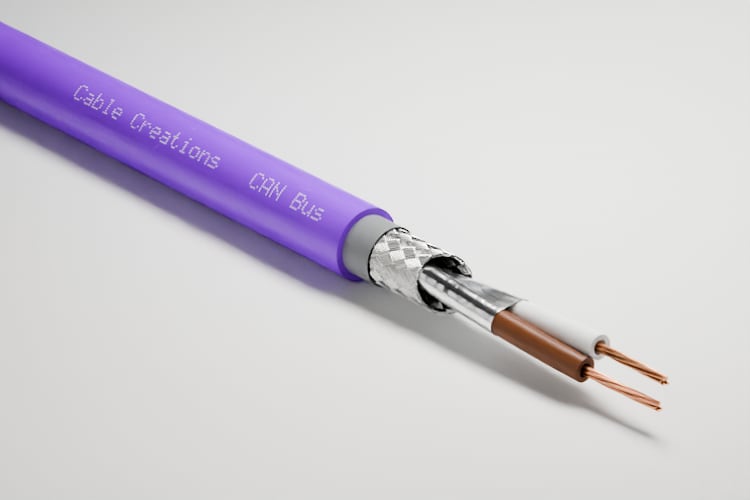


Other cables
The cables without a family| Aspect | All cables | One family | Other cables |
|---|---|---|---|
| What is in it | Every cable with a model | The cables of one family, such as all coaxial cables | The cables without a family |
| For whom | Whoever has to explain the whole lineup | Newcomers and everyone who looks after one product line | Whoever also needs to know the one-offs |
| Hiding | Not possible | Yes, with “Not relevant for me” | Yes, with “Not relevant for me” |
| Certificate | For all cables someone learns | One per family | One for the cables without a family |
| When it appears | As soon as a cable has a model | As soon as the family has a cable with a model | As soon as a cable without a family has a model |
What is it good for, and where does it end?
Advantages and limits
The academy makes the construction of your cables learnable, but it does not replace training on standards or applications.
Advantages
No question to write
The cards come from the cable data that are in the portal anyway. Nobody maintains a question bank.
Always your current range
A new cable brings its cards along. When a cable changes, its changed cards come back into the round as new.
A few minutes a day
A round has at most 12 cards. What has stuck comes back less often, what has not comes back soon.
Your cables, not just any
Your team learns on the drawing and 3D model of exactly the cables it sells.
No extras, no pictures
The academy uses the drawing and 3D model every cable in the portal already has. Nothing is rendered for it.
Fair to the team
There is no leaderboard and no report on a single person. Team figures appear only from 5 learners on.
Limits
Construction only
The cards ask about layers, material, job, order, and features from the cable data. Standards, laying, and termination do not come up.
No questions of your own
You cannot write cards yourself or add questions.
No model, no cards
A cable needs its model in the portal. Without a 3D view there are only cards on the drawing, no tapping in the model.
For your team only
Members of your team can learn. Guests, agencies, and your customers have no access.
No report on individuals
Managers see only the team per topic. What one person has learned, only that person sees.
No recognized qualification
The certificate is a record in the portal. It is not an exam that a chamber or an association recognizes.
Not in every plan
The academy is not part of every plan. It cannot be seen in the demo.
Not the right tool if:
- You need training on standards, laying, or termination.
- Your cables are not set up in the portal yet.
- You want to measure the performance of individual employees.
What is different from training at the sample case?
Compared with today
At the sample case, people learn when an experienced colleague has time; with the academy, everyone learns on their own, a little every day.
The sample case and the conversation stay valuable. The academy makes sure the basics are already there when the moment comes.
A sample case with cable pieces, one person explaining beside it and three waiting. For comparison, a phone with a flash card and three people, each with their own ring for their progress.
Until now
At the sample case
Who explainsAn experienced colleague, when they have time
With the academy
Cable academy
Who explainsThe cards, from your cable data
| Aspect | At the sample case | Handbook or seminar | Cable academy |
|---|---|---|---|
| Who explains | An experienced colleague, when they have time | A document or a trainer | The cards, from your cable data |
| How often | When an occasion comes up | Once, then rarely again | A few minutes every day |
| When someone leaves | Their knowledge leaves too | The document stays, the experience does not | The cards stay for the next people |
| What sticks | What someone remembered | What someone looks up | What is repeated until it sticks |
| A new cable | Only once a sample is in the case | Only with the next edition | Its cards are added by themselves |
| Who knows where things stand | Nobody exactly | A list of participants | Everyone their own, the team the shared one |
What do I need, and what does it cost?
What you need and what it costs
You need your cables with their models in the portal; the academy itself costs nothing extra.
What you need
Your cables with models
Every cable needs its model in the portal. We build it from your construction data, one cable or your whole lineup.
Cable families, if you like
Families turn your cables into topics. A cable without a family is listed under “Other cables”.
One sign-in per person
Every colleague needs their own sign-in to the portal. Progress always belongs to one person.
No setup project
You create no course and write no questions. The topics are there as soon as the cables are.
What it costs
The academy never appears as an extra on your monthly invoice and needs no pictures. Whether it is part of your plan is shown with the plans.
What else do people ask?
Frequently asked questions
Short answers to what teams usually want to know before they start.
- Do we have to create courses or questions?
- No. The cards come from the cable data in the portal, and every cable family becomes a topic by itself.
- Does my manager see what I answered wrong?
- No. Everyone sees only their own progress. Team figures per topic appear only from five learners on, and without names.
- What happens when a new cable is added?
- It is in its topic with its cards the next time someone looks. What your team has already learned stays.
- Can someone skip a family that does not concern them?
- Yes. With “Not relevant for me”, everyone hides a family for themselves and can show it again at any time.
- Does it work without a 3D model?
- Yes, with fewer kinds of cards: without a 3D view, the cards ask on the cross-section drawing. Without any model in the portal, a cable has no cards.
- Does the academy cost extra?
- No. It uses the cross-section drawing and 3D model every cable in the portal already has. Whether the academy is part of your plan is shown on the pricing page.